Leonardo AI Image Generator

Leonardo AI is a powerful, professional-grade generator offering high-fidelity asset creation, design templates, photorealistic rendering, and precise style control for advanced visual exploration. While it requires manual tweaks for generation errors, HIX AI is the ideal alternative for instruction-based smart editing and a faster path to correcting visual flaws through text commands. Try HIX AI now!
Key Features of Leonardo AI
- AI Image Generation from Text: Create images from text prompts in styles like concept art, illustration, photo-realistic scenes, game assets, and marketing visuals.
- Strong Style Control and Custom Models: Leonardo AI helps users steer the mood, composition, detail level, and artistic direction more precisely.
- Image Editing and Image to Image Workflows: It supports editing-based workflows, where users upload an existing image and then improve, restyle, or transform it.
- Canvas, Inpainting, and Targeted Refinement: The core feature is the ability to edit specific parts of an image rather than regenerate the entire thing.
- Enhancement Tools: Two essential utility tools—image upscaling and background removal—help users optimize images, making them ready for real-world projects.
- Practical Use for Creative Production and Fast Iteration: Users can generate multiple versions, compare directions, and refine ideas quickly.
AI Image Generation from Text
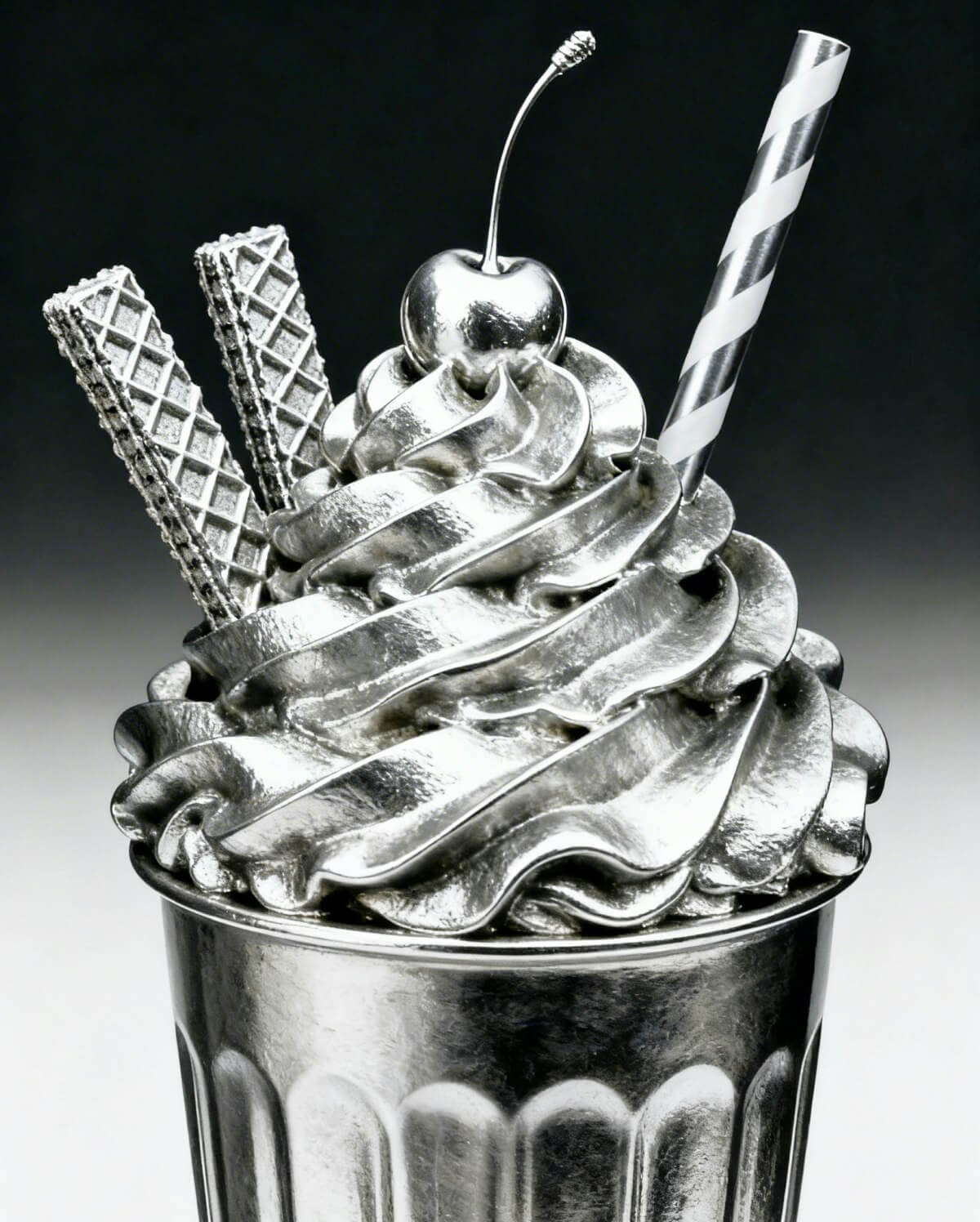
Leonardo AI allows users to type a description and turn it into an image. For example, a user can enter a prompt and the AI will generate a matching visual. This makes it easy to create original images without needing advanced drawing or design skills.
| Prompt | Output |
| Chrome soft-serve dessert with cherry, wafer sticks, and straw, glossy metallic texture, dramatic studio lighting, dark gradient background, surreal luxury product photography. |
 |
Strong Style Control and Custom Models
Leonardo AI excels in precise stylistic control. Through diverse presets—ranging from realistic photography to anime and digital art—users can finely guide mood, composition, and artistic direction. This granular adjustment ensures consistent, purpose-driven outputs rather than unpredictable results.
Image Editing and Image-to-Image Workflows
Beyond text-to-image generation, Leonardo AI excels at editing-based workflows. Users can upload existing visuals to restyle, refine elements, or iterate on drafts while preserving the original concept. By prioritizing precise adjustment over one-click randomness, it delivers a highly practical tool for real-world design pipelines.
Canvas, Inpainting, and Targeted Refinement
Leonardo AI’s canvas and inpainting tools allow users to modify specific regions rather than regenerating the entire image. Whether swapping backgrounds, altering character details, or fixing composition errors, this targeted editing eliminates the wasteful trial-and-error of full-image re-rolls.
Enhancement Tools
Leonardo AI features built-in upscaling and background removal to polish images for immediate professional use. The upscaling tool increases resolution and sharpens clarity, ensuring visuals meet the quality standards required for web layouts and print media.
Practical Use for Creative Production and Fast Iteration
Built for practical production, Leonardo AI accelerates creative workflows across concepting, game design, and marketing. Its rapid iteration allows teams to quickly test visual styles and turn early ideas into deployment-ready assets. By balancing beginner-friendly accessibility with granular control, Leonardo serves casual creators and design professionals alike.
Leonardo AI Industry Applications
Marketing: Leonardo AI accelerates marketing workflows by transforming raw concepts into polished ads, banners, and product visuals. Utilizing pre-built templates, teams can rapidly deploy high-quality social posts and campaign imagery while maintaining total creative control over the final output.
Graphic Design: Leonardo AI streamlines graphic design by enabling swift creation of layouts, visual elements, and brand assets. Through specialized features like Font Matcher, Style Transfer, and Image Remix, designers can instantly adjust colors, fonts, and aesthetics—transforming complex asset refinement into a simple, rapid process.
Print on Demand: Leonardo AI generates high-quality, print-ready artwork for t-shirts, posters, and custom merchandise. It provides precise control over stylistic consistency and high-resolution output to streamline asset preparation. This creates a seamless, efficient pipeline that transforms digital concepts into flawless physical products.
Photography: Leonardo AI excels at rendering photorealistic imagery with precise lighting, intricate textures, and cinematic depth of field. Whether generating commercial product shots, lifelike portraits, or detailed environmental photography, it delivers true-to-life visual textures that seamlessly mimic professional camera work.
Interior Design: Leonardo AI empowers creators to generate photorealistic interior renderings, allowing for rapid exploration of layouts, materials, lighting, and decor styles. Users can also leverage ready-made design templates to accelerate their workflow, instantly transforming abstract concepts into vivid, high-fidelity spatial visualizations.
Architecture: Leonardo AI enables architects and designers to explore architectural forms, structures, and materials directly from text or image inputs. It accelerates the early-stage ideation of space, form, and structural outcomes, allowing professionals to rapidly iterate design concepts while keeping their creative judgment completely intact.
What Users Actually Say about Leonardo AI
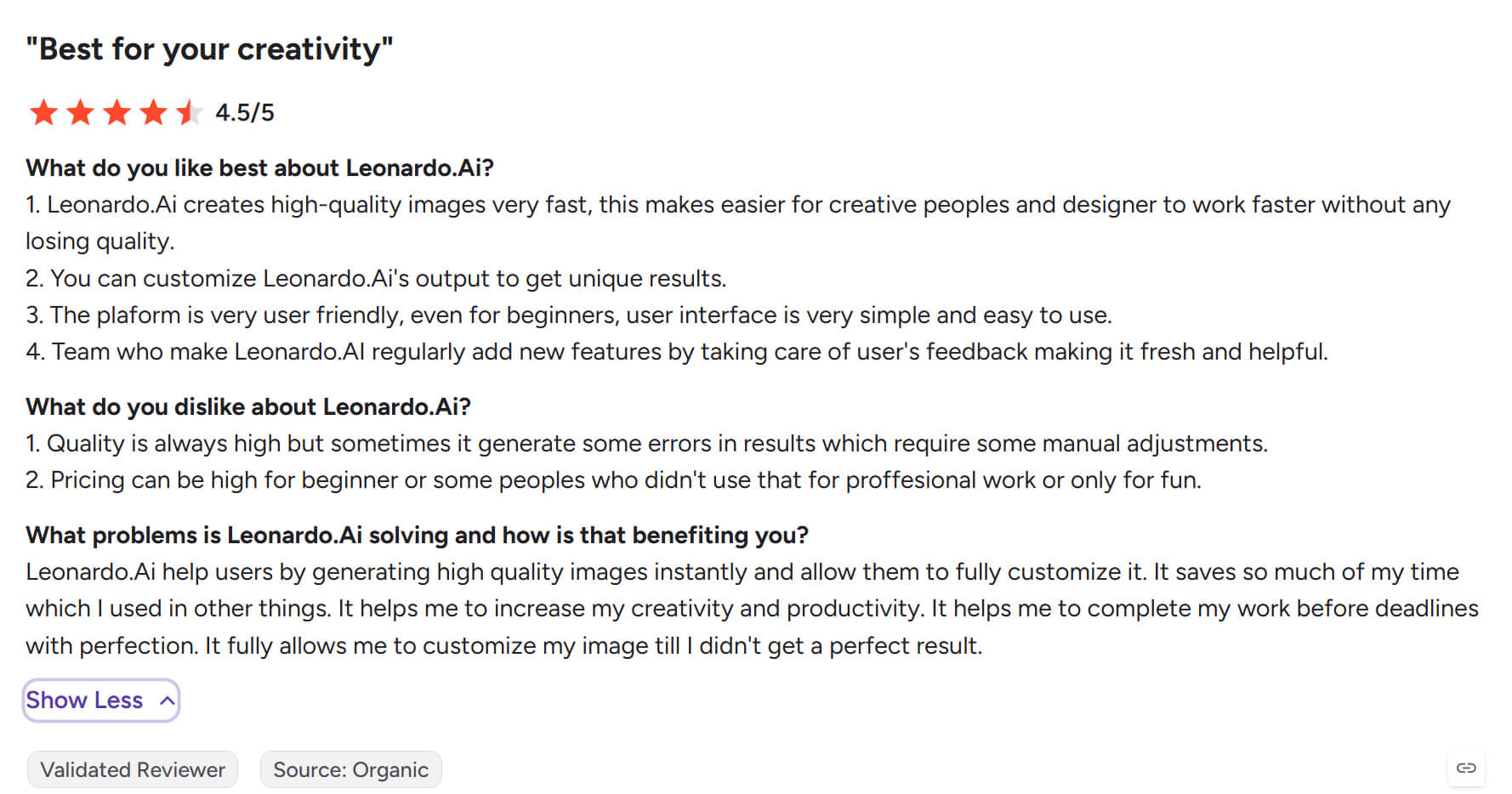
Highly rated on Trustpilot and G2 for premium outputs, Leonardo AI still faces the common hurdle of generation errors. Users note that certain images contain mistakes that require manual modification, occasionally rendering the final assets completely unusable.
Aggregating elite models like GPT Image 2, Nano Banana 2, and Seedream, HIX AI accurately decodes prompts for high-quality image generation. Its unified workflow seamlessly integrates editing, allowing users to refine outputs directly via text commands and eliminating the friction of switching tools.
HIX AI further expands its utility with built-in image enhancement tools: a high-fidelity Upscaler that boosts resolution to 4K/16K without texture degradation, a precision Erase tool to remove visual clutter, and an instant One-Click Background Remover for seamless subject isolation.
Leonardo AI vs Midjourney vs HIX AI
| Features | Leonardo AI | Midjourney | HIX AI |
| Image Quality | High quality, versatile across commercial and creative use | Often the strongest for striking, cinematic, artistic output | Good for everyday content |
| Style Control | Strong control with models, presets, and workflow options | Good prompt-based control, but less structured | Simpler controls, easier |
| Ease of Use | Moderate; beginner-friendly but with more settings | Easy to start, but prompt workflow may feel less intuitive to some users | Usually the easiest for beginners and non-designers |
| Main Strength | Balance of control, flexibility, and production usability | Beautiful, dramatic, highly artistic image output | Convenience and accessibility |
What Makes HIX AI a Creator Favorite
- 1
Versatile All-Scenario Output
Easily generate optimized, high-impact visuals for any use case—from viral social media posts to professional poster designs.
- 2
Precision Text-Driven Control
Refine images precisely using simple text commands to instantly swap backgrounds or execute smart generative fills.
- 3
Smart Parsing, Exact Results
Effortlessly bridge imagination and reality. Turn text into high-impact visual assets that perfectly align with your creative vision.
