Seedream 5.5 AI Image Model

Seedream 5.5 takes your image creation beyond the initial version. It helps refine specific details while maintaining consistency across iterations. Try Seedream 5.5 on HIX AI now!
Key Features of Seedream 5.5
- Precise Local Editing: Focus modifications exclusively on target areas.
- Stable Multi-Round Editing: Iteratively aligning images with creative intent.
- Natural Characters, Textures, Lighting: Enhancing realism for marketing visuals.
- Enhanced Text Rendering: Integrating information directly into visuals.
- Transparent Asset Generation: Streamlining reusable standalone elements.
- Layer Separation: Transitioning visuals into downstream design.
Precise Local Editing
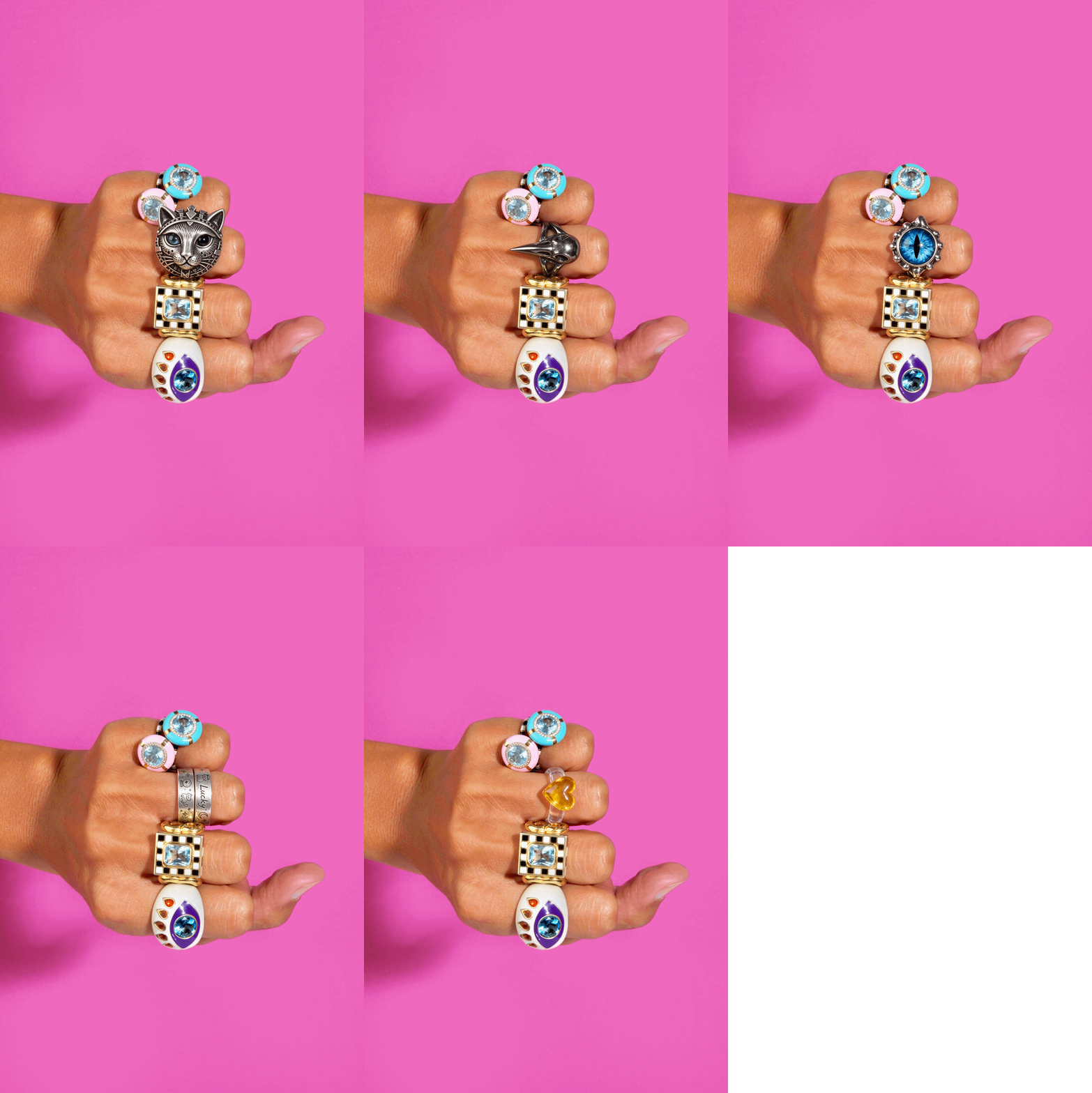
Seedream 5.5 delivers pinpoint localized adjustments, modifying specific elements like accessories or expressions while keeping untouched surroundings intact. It enables fine-tuning to effortlessly meet detailed client revision requests.
| Partial replacement of a ring |
 |
Stable Multi-Round Editing
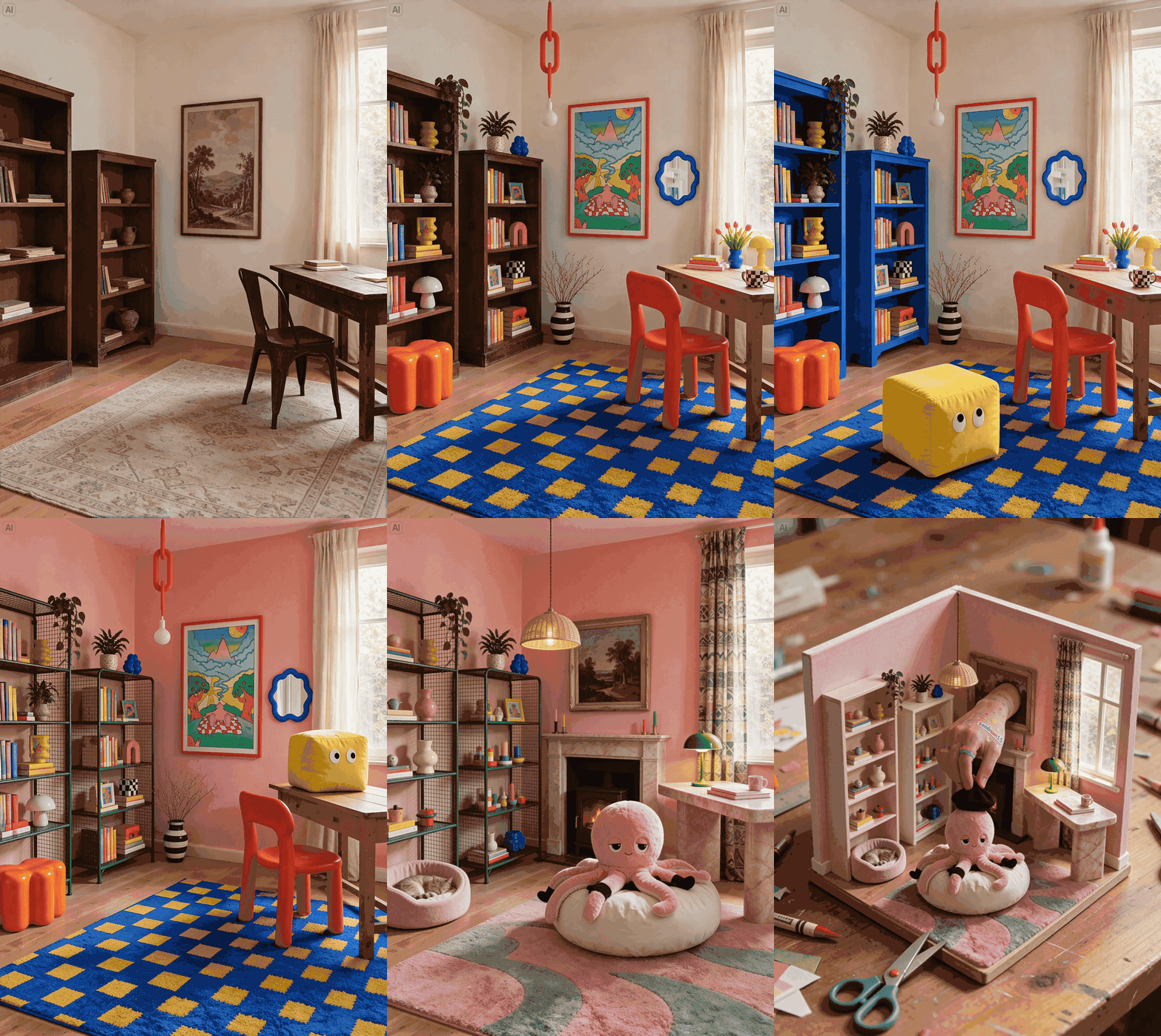
Building upon previous generation outputs, Seedream 5.5 preserves core subjects while iteratively refining details. This multi-round stability prevents complete image re-renders whenever a single adjustment is made.
| Add and replace furniture, lighting and decor across multiple edits, adjusting colors and placement while maintaining coherent perspective and lighting. |
 |
Natural Characters, Textures, and Lighting
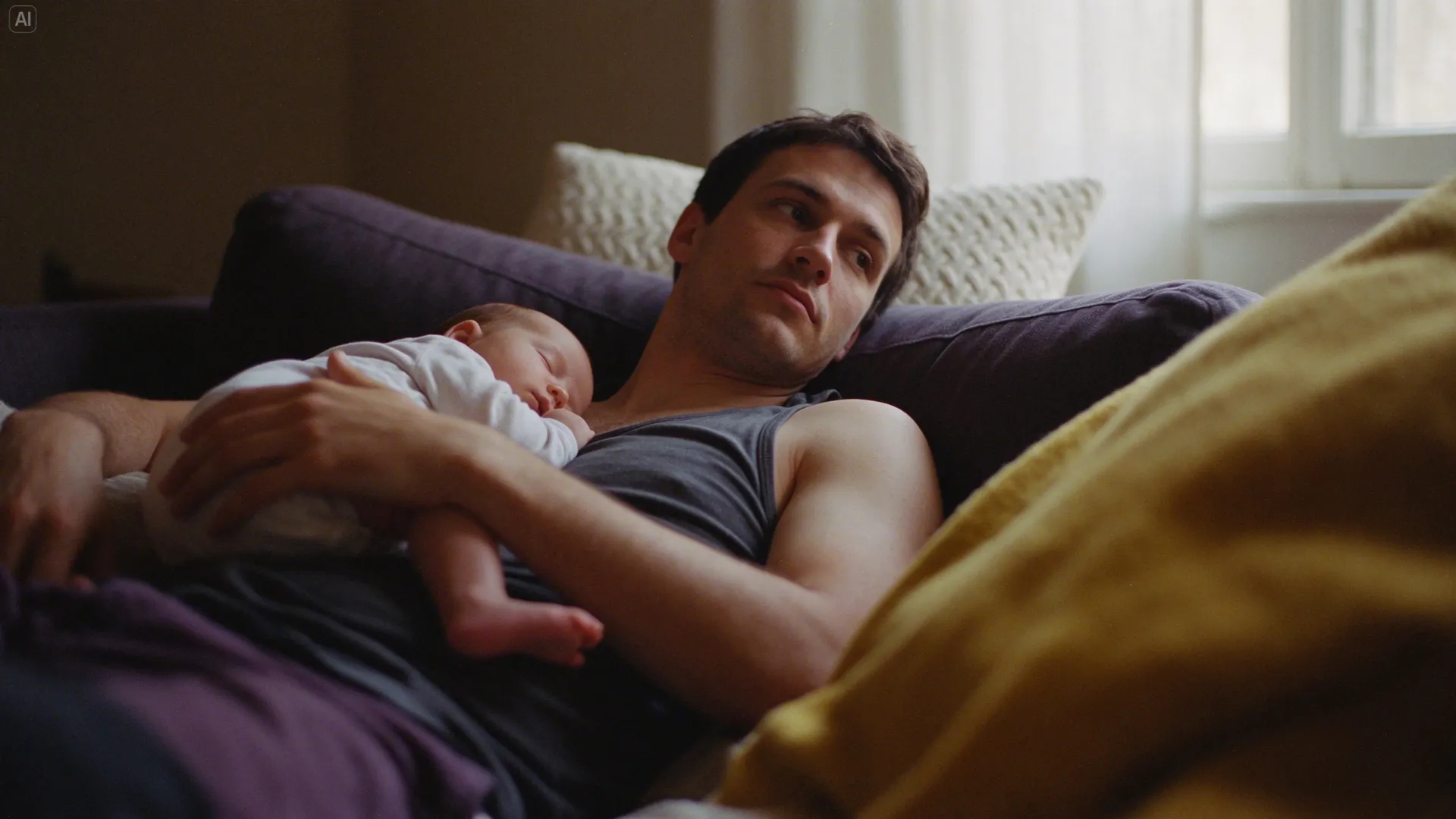
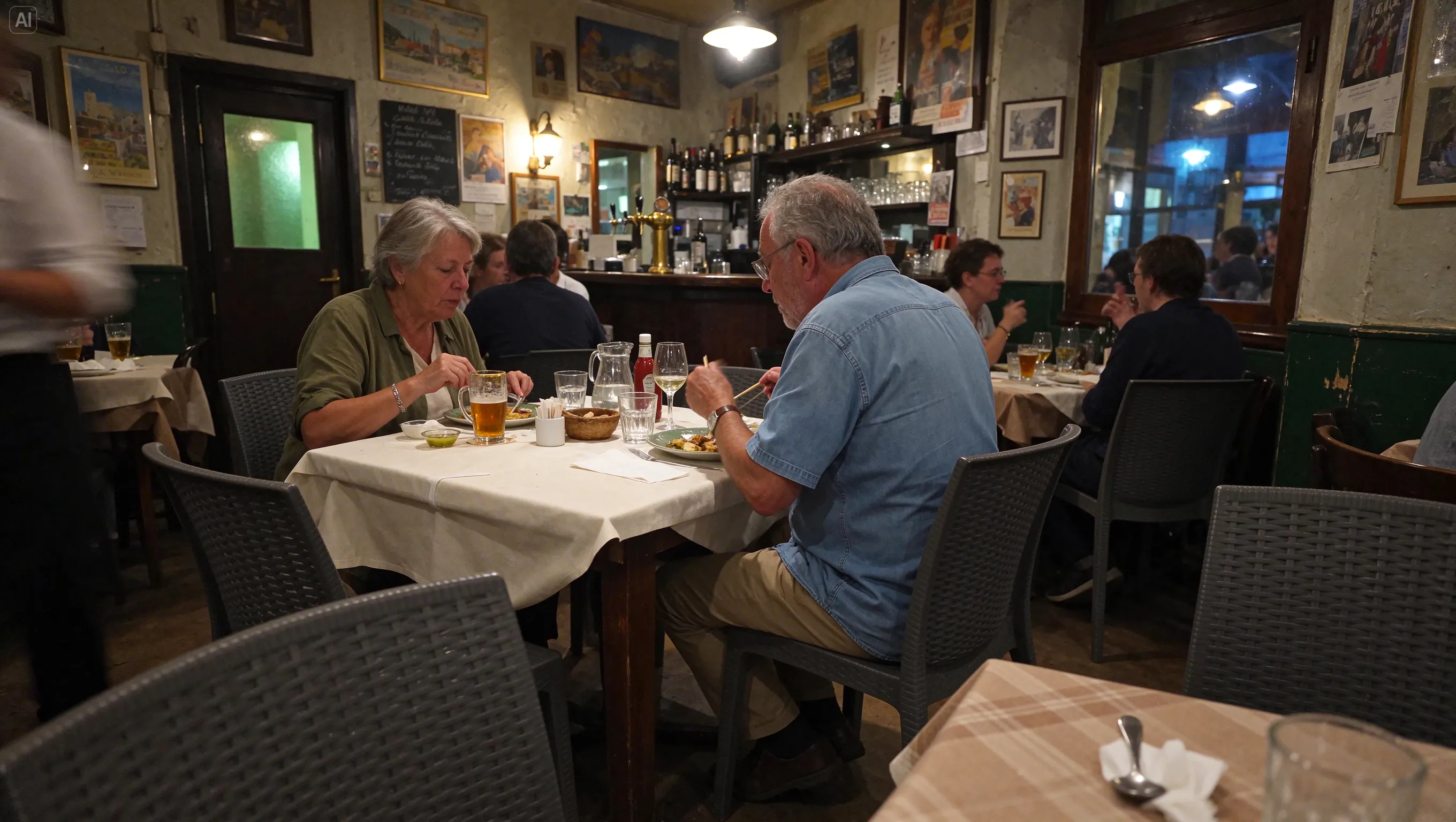
Seedream 5.5 significantly improves human proportions, facial expressions, and perspective balance. It delivers lifelike marketing visuals through accurate fabric textures, metal reflections, and authentic contact shadows.
| Text Prompt | Output Image |
| A white cat sits elegantly among bottles and glasses in a bar at night. Shoot from a low angle with a tilted composition, using flash, Fujifilm Provia colors and film grain. Capture dappled light, bright highlights and crisp detail for a vintage photographic feel. |
 |
| A warm documentary photograph of a young father reclining on a dark purple-gray fabric sofa, holding a sleeping baby. Cream knitted cushions and a mustard-yellow blanket show soft, tactile fabric textures. Warm golden daylight enters through a window on the right. Relaxed poses, natural skin tones, gentle shadows and film grain capture a quiet, intimate afternoon. |
 |
| A candid horizontal snapshot inside a neighborhood bistro in Europe on a summer evening. Two older diners eat naturally at a table covered with cream linen, unaware of the camera. Glasses, cutlery, breadcrumbs and worn wooden furniture show everyday use. Warm pendant lights mix with traces of cool evening light. Slight underexposure, subtle high-ISO grain and foreground occlusion create an intimate, spontaneous atmosphere. |
 |
Enhanced Text Rendering
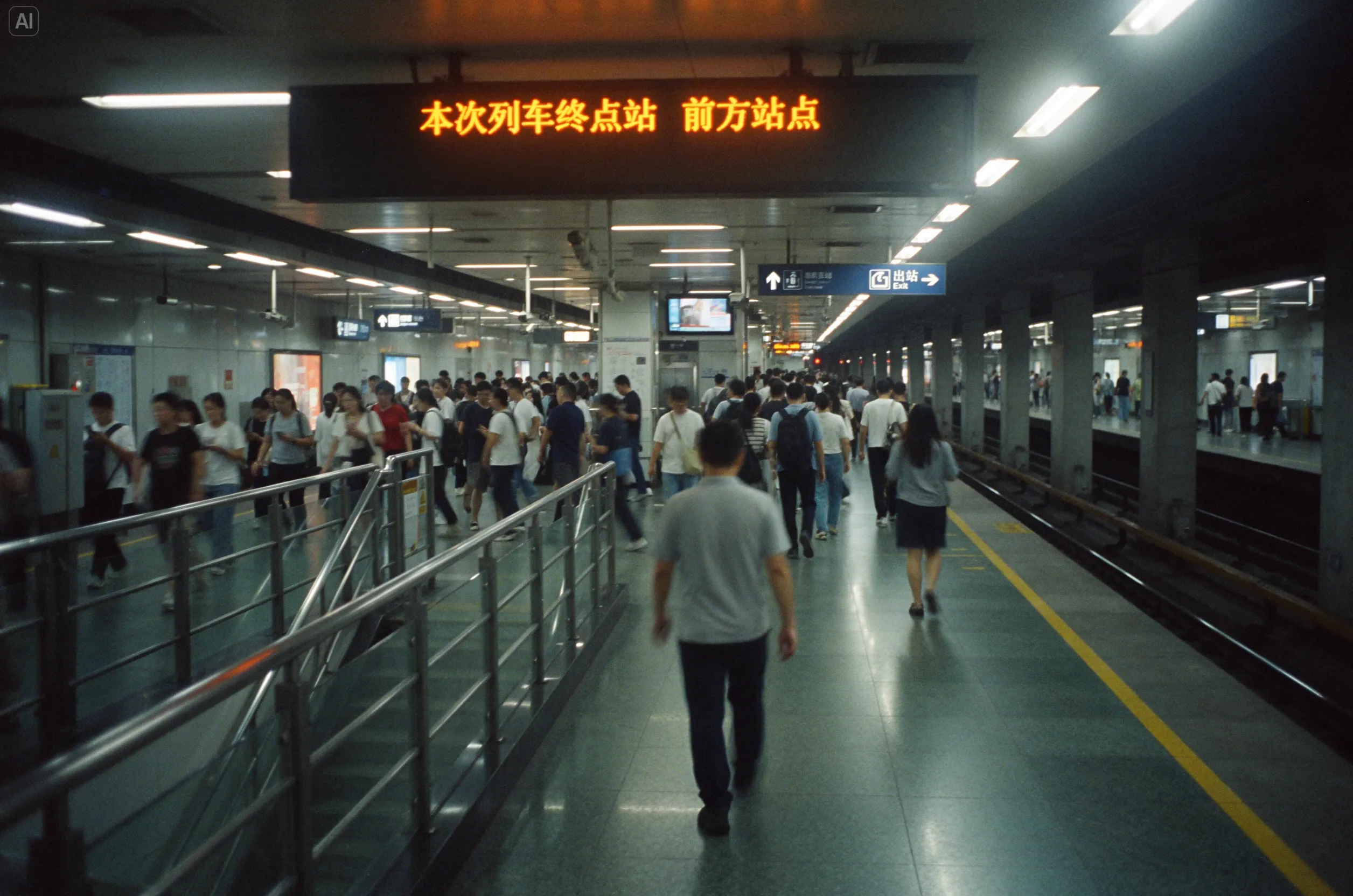
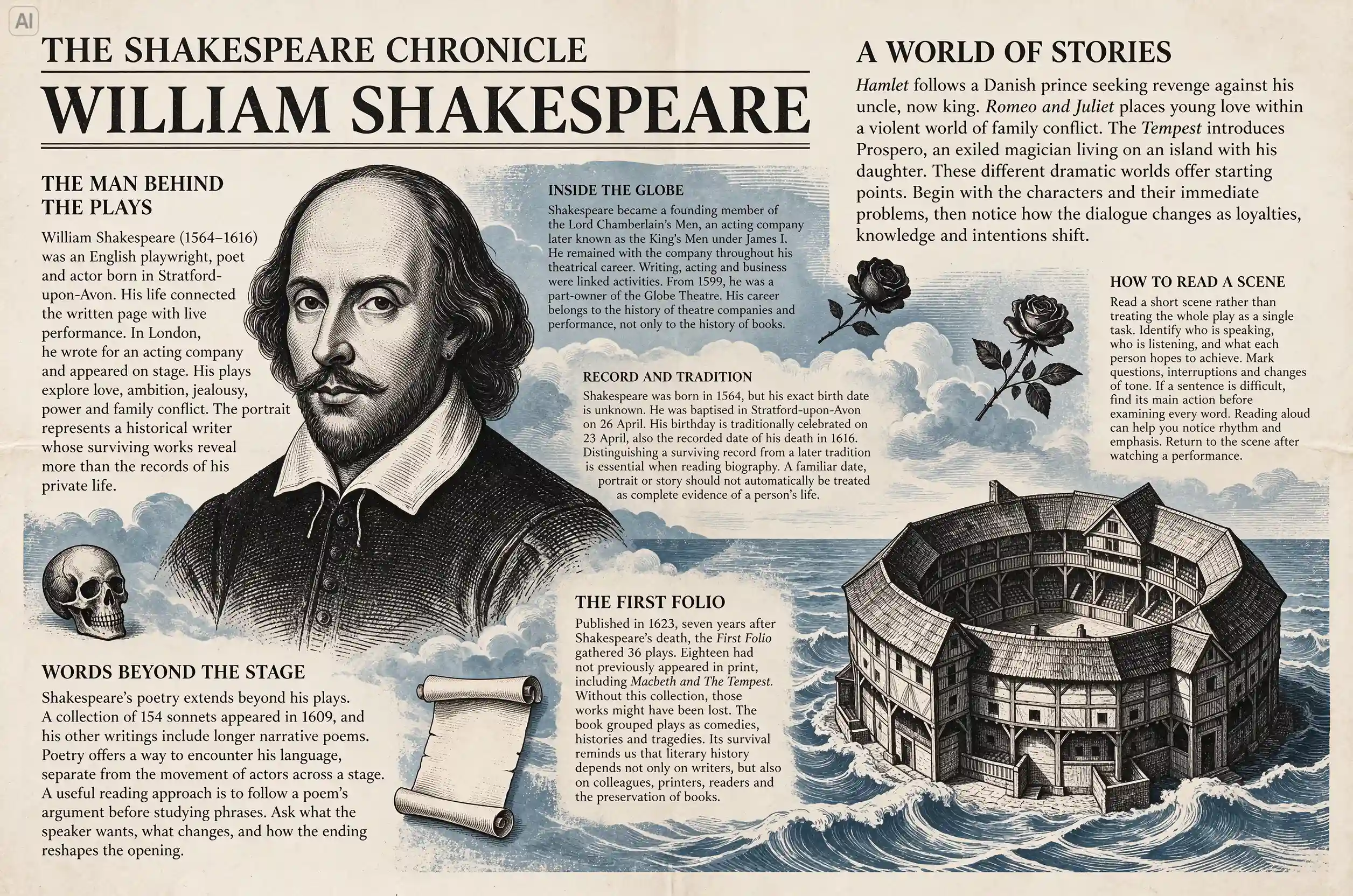
Seedream 5.5 excels at rendering dense, fine typography and multilingual layouts across posters, labels, and infographics. It textures text seamlessly within scenes while precisely following designated hierarchies, margins, and line breaks.
| Text Prompt | Output Image |
| Photograph a busy modern city subway platform filled with Asian commuters walking briskly in orderly flows. Use central perspective, with the platform, yellow safety lines and overhead lights receding into the distance. Combine motion blur, soft diffuse light and a subtle glow while retaining highlight and shadow detail to convey the energy of urban life. |
 |
| Design a landscape literary newspaper with the masthead “THE SHAKESPEARE CHRONICLE” and the headline “WILLIAM SHAKESPEARE”. On warm ivory paper, illustrate Shakespeare and the Globe Theatre in black engraving, with muted blue clouds and waves weaving through the page. Arrange seven short articles in English around the illustrations, using bold serif headings and legible small type. |
 |
Transparent Asset Generation
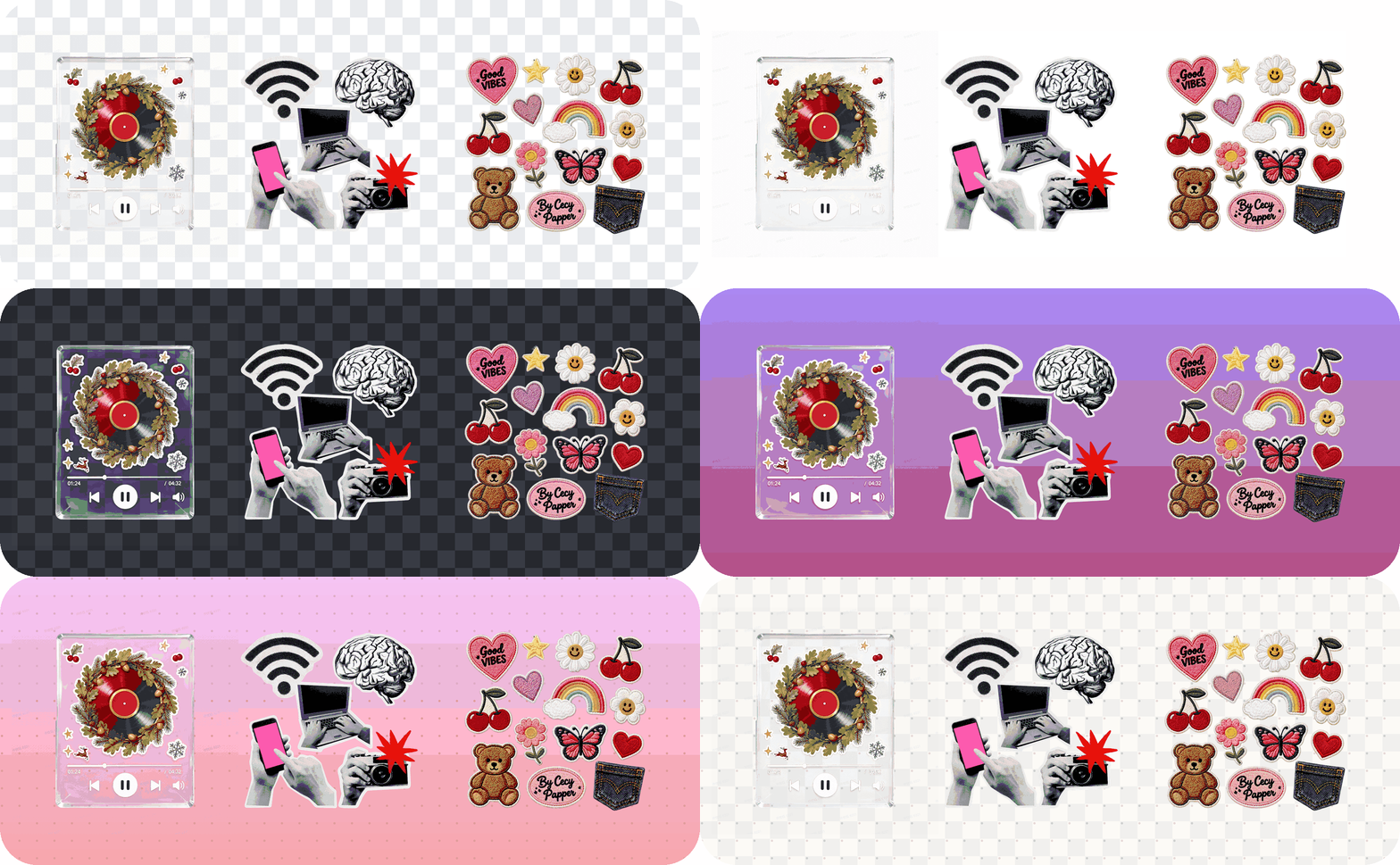
Seedream 5.5 generates isolated visual assets with native transparent backgrounds and realistic translucency. It streamlines workflows for stickers, icons, and product cutouts by eliminating tedious manual edge masking.
| Appearance of transparent materials against different backgrounds. |
 |
Layer Separation
Seedream 5.5 decomposes complete images into discrete layers for backgrounds, graphic elements, and typography. Leveraging integrated OCR, it enables seamless text revisions, asset swaps, and localized multilingual variations.
Seedream 5.5 vs Other AI Image Models
| Aspect | Seedream 5.5 | GPT Images 2.6 | Nano Banana 2.1 |
| Developer | ByteDance | OpenAI | |
| Iterative Editing | Up to 100 consecutive editing passes | Multi-round editing via interactive markup canvas | Contextual multi-round edits |
| Transparency & Masking | Native RGBA generation | Transparent PNG/WebP exports | Standard background rendering |
| Text Layout | Optimized for dense, fine-print, multilingual text | High accuracy on scripts, diacritics, and structured layouts | Strong infographic layout design and structured labeling |
| Primary Workflow Fit | E-commerce asset generation, packaging revisions, multi-round client polish, and graphic asset reuse | Rapid wireframing/drafting (Flare), vector brand design (SVG), and interactive visual reasoning | Data-rich infographics, high-res scenery/landscapes, and multimodal Gemini integration |
Why Create With Seedream 5.5 on HIX AI
HIX AI image generator seamlessly integrates cutting-edge image models into a unified workspace tailored for creators, marketers and sellers.
You can initiate projects and flexibly refine your visual strategies as production develops. The image agent streamlines the entire production pipeline from initial ideation to polished picture.
To address scenario-driven production, the agent, paired with powerful models, even provides dedicated presets and parameters that allow you to instantly generate specialized images—including poster, social post, infographic, product ad and E-commerce image.
How to Use Seedream 5.5 on HIX AI
- 1
Choose Seedream 5.5 Model
Select the Seedream 5.5 model within the HIX AI image agent.
- 2
Input Prompts and Reference
Enter your text prompts and optionally upload your assets as references.
- 3
Generate Quality Images
Let HIX AI image agent analyze your inputs and deliver engaging image content.
YouTube Videos About Seedream 5.5
Reddit Posts About Seedream 5.5
X Posts About Seedream 5.5
GPT 2.6 made a shiny plastic AI model. Seedream 5.5 made an actual human YouTuber and wiped the floor with it. The ultimate torture test for AI image generation isn't studio portraits—it’s capturing believable, candid daily life without looking synthetic: - Left (Seedream 5.5): Natural low-light noise, realistic skin blemishes, organic lens glare, and an authentic casual coffee grip that looks straight out of an actual YouTube vlog. - Right (GPT 2.6): Airbrushed tourist-ad skin, eerie uncanny-valley teeth, and flat, synthetic lighting that screams CGI green screen. - The Price Humiliation: Delivering this level of photographic authenticity at ~$0.02 per image—roughly 38.5% of the cost of premium alternatives. Left or Right: Which model actually passed the Turing test for you?
— Mr. Aryan (@Aryankhan12_) November 11, 2026
One design. Multiple revisions. How well can the details hold up? I tested Seedream 5.5 by @BytePlusGlobal using a luxury perfume Black Friday advertising concept. I started with an original poster and explored how well Seedream 5.5 could handle precise edits while preserving the details that make the original design work. Here's how the process went. 🧵
— Leonardo (@MrOnsase) November 11, 2026
Okay, Seedream 5.5's consistency is crazy!!! 100 chained edits. Just +1 second on the watch each time. I didn't expect the gap to be this big.😂 https://t.co/7TFueQlsvX
— Alisa Qian (@alisaqqt) November 9, 2026
ByteDance just dropped Seedream 5.5 with crazier image realism, cleaner edits, transparent assets and way better text rendering. https://t.co/Ug4AGKqLto
— CoderArmy (@CoderArmy) November 9, 2026
ByteDance launches Seedream 5.5, pushing AI image generation further. Key upgrades:\ • Up to ~100 rounds of iterative editing while maintaining visual consistency.\ • Native RGBA transparent background output.\ • Improved photorealism and text rendering. Now available on Doubao and Jimeng. AI image generation is moving beyond one-shot creation toward continuous, controllable editing.
— 11 (@lilyoiio) November 11, 2026
MiniMax H3 vs Nano Banana 2.1 vs Seedream 5.5 I would probably use MiniMax for Major Image Generation for good quality with lower Price. #ai #AIart https://t.co/vO6E1gsShp
— Taku (@Taku45470598) November 11, 2026
Seedream 5.0 Pro vs 5.5 What changed for me: ・Skin has real texture now, not that glossy AI finish ・Japanese features finally read as Japanese ・Light and air feel like an actual winter afternoon in Tokyo A real step up for portraits #Seedream5_5 #DreaminaAI https://t.co/em4httxU9G
— TSUBAKI (@AI__TSUBAKI) November 9, 2026
Seedream 5.5 left vs GPT Image 2.6 right Which one do you prefer? https://t.co/3pokzBNX7F
— DrSadek (@DrSadek_) November 9, 2026
One of the hardest things in AI image editing isn’t generating a nice image once, it’s editing the same image again and again without everything else falling apart. SEEDREAM 5.5 JUST DROPPED! So I put Seedream 5.5 to the test against GPT Image 2.5, using the same café photo and a chain of 5–10 consecutive edits. And the results? Seedream 5.5 performed incredibly well, showing impressive editing precision and consistency. No obvious color shift, no noticeable quality loss between rounds. For anyone who cares about real editing workflows, not just one-off generations, this is a pretty interesting result.
— gus (@igus_ai) November 11, 2026
Seedream 5.5 vs Minimax H3 Image. I will give Bytedance chained edits but @MiniMax_AI cooked with realistic people. This video was first created using Minimax H3 Image then animated using Minimax H3 video start frame with a little bit of post. Original frame and Seedream 5.5 version in the comments. #H3Image
— JSFILMZ (@JSFILMZ0412) November 9, 2026
it’s easier and cheaper than ever to create an AI influencer right now. video: wan 3.0 ($0.70) image: seedream 5.5 ($0.03) save this workflow to create your own: 1. find a reference video while scrolling 2. download it without the watermark 3. cut the before & after clips (use concut) 4. find a pic of a girl on pinterest & ask chatgpt for a prompt to create a new character 5. create a character sheet using seedream 5.5 with this prompt: “Character turnaround sheet of the person from the reference photo, six views: full body front, side and back + super close-up front, side and back. Strictly keep 100% of face, hair, body, clothing and all details from the reference. Clean gray background, consistent and natural lighting.” 6. generate the before & after clips using the reference video + character sheet with this prompt: “Replace the girl in {video} with the girl in {character sheet}. Keep the same movements, camera quality, voice tone, background sounds, and hand gestures. Remove the text from {video}.” 7. use concut to combine the two clips this looks insanely real but costs $0.73 instead of $2k or CPM-based deals. and you can use your own AI character for organic content or ads. let me know if you want more prompts!
— Simone Canc (@simonecanciello) November 10, 2026
this is the cheapest image model right now & it’s perfect for AI influencers. left: gpt image 2.6 right: seedream 5.5 it costs only $0.01 per image. i’ve never seen an image model with such good consistency and detail. check the prompt below! https://t.co/skTrDAiOhk
— Simone Canc (@simonecanciello) November 10, 2026
Holy shit, this one took me by surprise. I was just testing generic video prompts with Seedream 5.5 images. Sound on: https://t.co/fK3ae2FGno
— Alex Patrascu (@maxescu) November 9, 2026
I put Seedream 5.5 up against three of its competitors using the exact same prompt: 1. Seedream 5.5 2. Magnific One 3. GPT Image 2.6 4. Nano Banana 2.1 Here are the results. Which one is your favorite? Prompt below 👇 https://t.co/0rE6V1cFcL
— MayorkingAI (@MayorKingAI) November 10, 2026

Discover Our Other AI Image Models
Try all the best AI image models in one spot.