Vidwud AI Video Generator

Vidwud turns photos, prompts and stories into videos, with controls for motion and camera framing. HIX AI offers a storyboard-led workflow, developing a script and planning scenes shot by shot. With subject references and chat-based refinements, creators can guide their visual story from an initial idea to the finished video. Try HIX AI Now!
Key Features of Vidwud
- Image to Video: Turn one still photo into a 5- or 10-second clip.
- Text to Video: Describe a scene in a prompt and get a clip back.
- Multi-Shot Mode: Link separate scenes into one continuous render.
- Motion Range: Adjust the intensity of subject animation.
- Fix Camera: Lock framing to disable camera panning.
- Story to Video: Paste a short script and let the tool build the sequence.
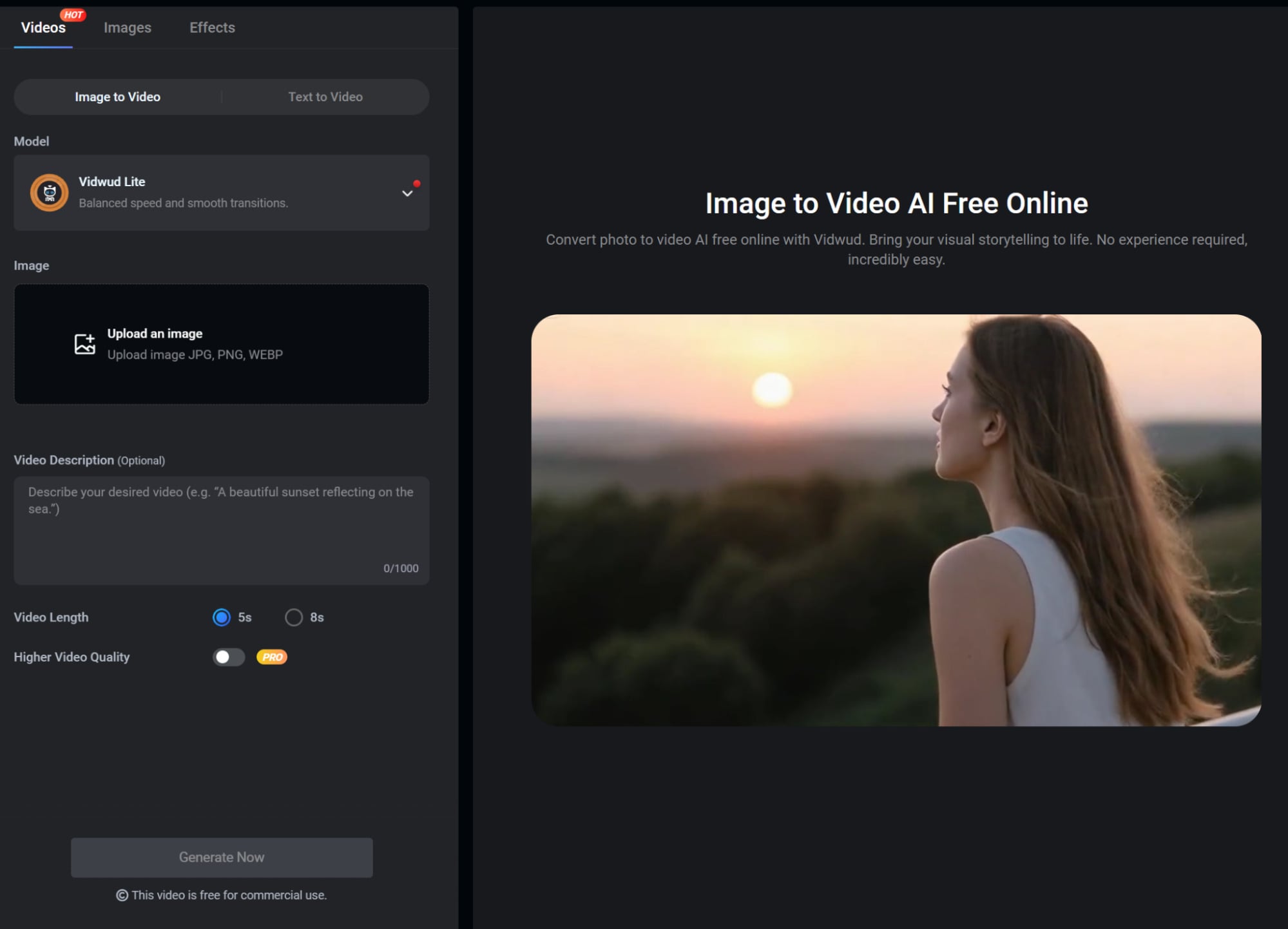
Image to Video
Upload a JPG, PNG or WEBP still. Vidwud reads the frame and decides where the movement goes, so a clean studio portrait animates better than a crowded scene — simple images are where it performs.
Text to Video
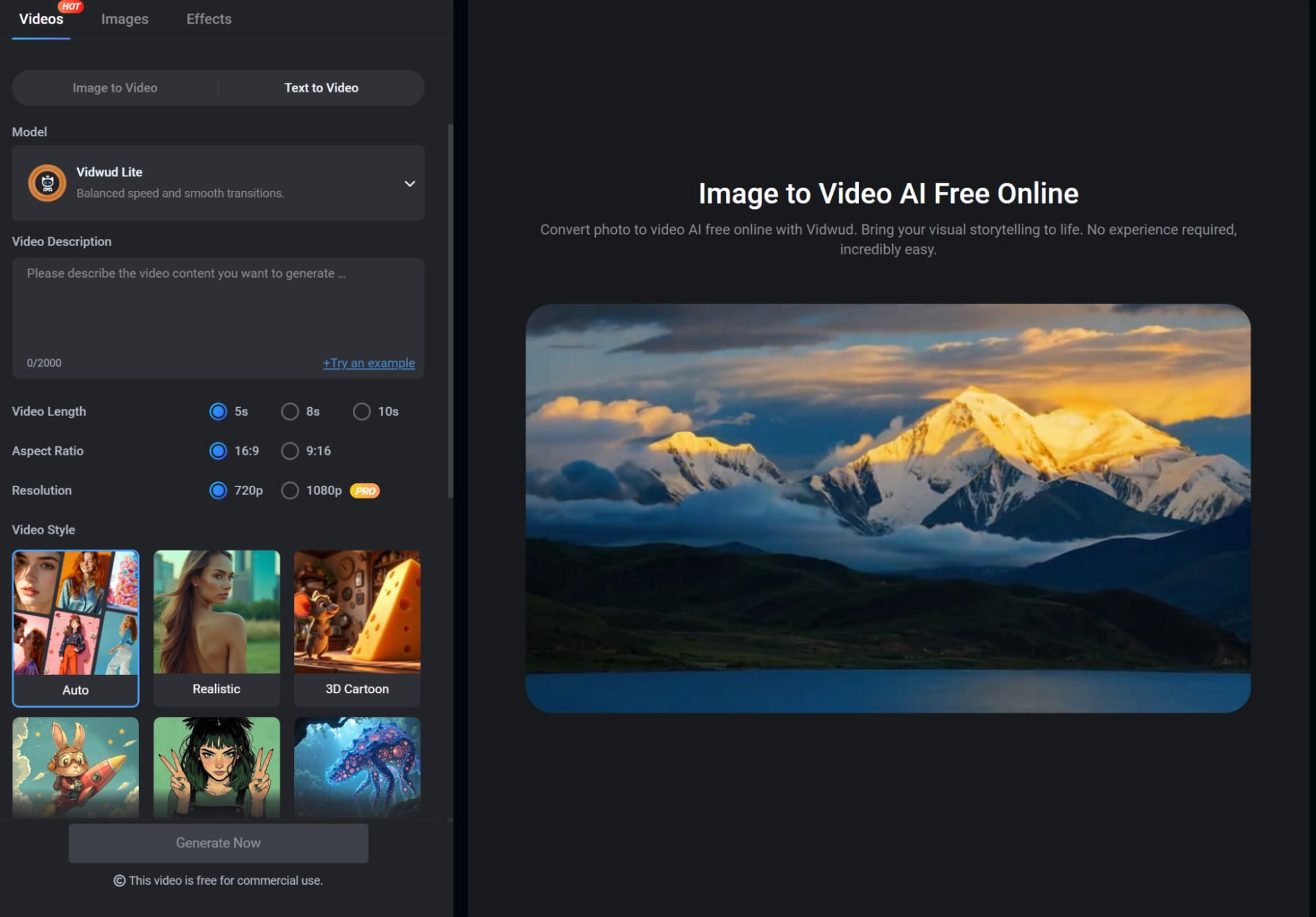
Describe your scene in up to 100 characters and Vidwud generates the clip. Style presets cover anime, cinematic and hand-drawn looks. A separate field takes negative prompts, so you can name what you want to avoid.
Multi-Shot Mode
Vidwud’s Multi-Shot breaks a render into connected scenes, so one project can carry several linked shots instead of a single continuous take. That structure suits longer clips, where the story has to move from beat to beat.
Motion Range
Vidwud’s Motion Range provides three tiers of subject movement — small, medium and large — to adjust animation intensity, supporting either subtle motion that preserves the original photo’s perspective or bold reveal-style dynamics.
Fix Camera
Vidwud’s Fix Camera locks framing so internal content animates without camera panning, fitting product spins, portraits and text overlays that blur with movement, and it can pair with high Motion Range to animate only the main subject.
Story to Video
Vidwud’s Story to Video turns a written story into a video. Its Extend Story option adds detail to a brief idea before a script is generated, helping develop the narrative. Visual styles such as realistic, 3D cartoon, watercolor and fantasy give each story a distinct look.

Vidwud:The Pros and Cons at a Glance
Pros
- Zero trial cost: Every tool runs in a browser, with no install and no editing background.
- All-in-one access: Packs nine to twelve tools behind one login, from face swap and talking photo to AI music.
- Granular output controls: Offers rare control for a free tool: 5- or 10-second length, 720p to 1080p, and six aspect ratios.
- Commercial usage rights: Marks outputs as free for commercial use, and paid plans strip the watermark.
Cons
- Limited output specs: Stops at ten-second clips and 1080p, short of what most review or ad work needs.
- Confusing credit & tool disclosure: Free accounts list zero credits, and the site quotes both nine and twelve tools.
- Weak facial support: Its own interface admits human faces are not fully supported, undercutting its talking-photo pitch.
Vidwud in Action: Real-World Applications
- Fast Social Hooks: Marketers turn a product photo into a vertical five-second clip for Reels or TikTok. One test hook no longer needs a videographer.
- Talking Portraits and Meme Clips: Solo creators animate a headshot, or run photo dance and face swap for shareable gags. Faces are only partly supported, so keep the brief simple.
- Style Tests Before Production: Directors preview anime, cinematic or hand-drawn looks on a still. Approved frames then brief a real shoot or a manual edit.
- Script Drafts for Explainers: Story to Video turns a short script into a sequenced draft with audio. Treat it as a storyboard, since clips stop at ten seconds.
The Creator's Voice: How Real Users Rate Vidwud
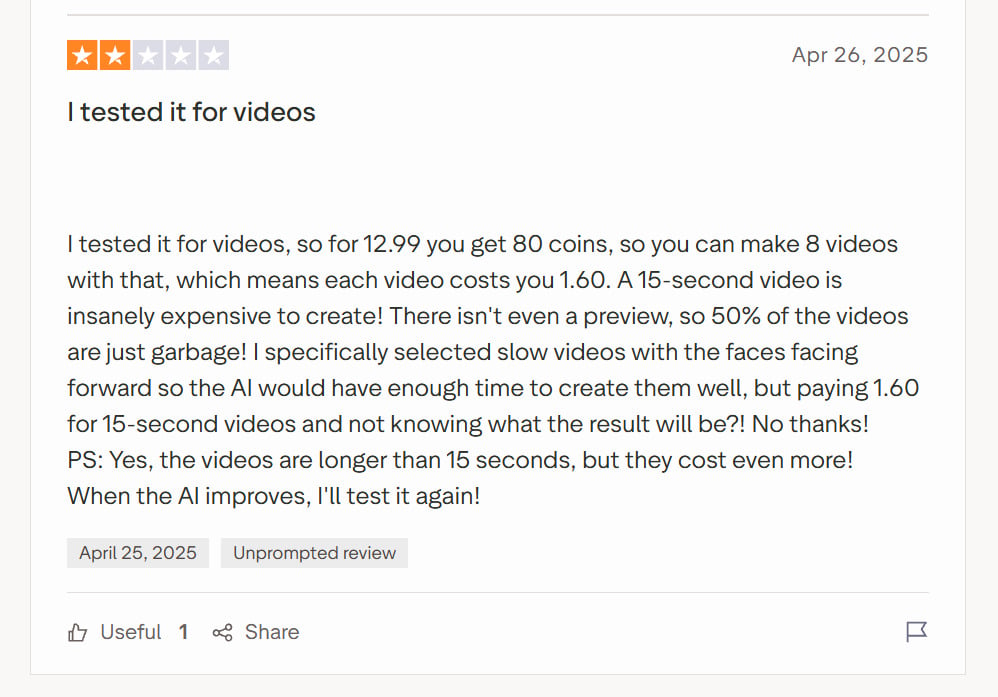
A reviewer who tested Vidwud's video generator describes one problem on Trustpilot: the clip arrives finished, with no preview at any stage. He stopped using it after half the results proved unusable.
In contrast, HIX AI video agent builds every video on a storyboard. The script, a shot-by-shot storyboard with its own reference images, and the final clips all sit in one project, so every stage stays visible and editable before you commit to rendering.
That transparency removes the blind guesswork: when one clip misses, you fix that clip instead of paying for a whole video again. And beginners can follow a professional workflow without getting stuck in confusing parameter settings.
Vidwud vs Pika vs HIX AI
| Comparison Aspect | Vidwud | Pika | HIX AI Video Agent |
| Core Focus | Free browser studio for photo- and prompt-driven social clips | Creative platform built on its own Pika 2.5 model, plus playful effect apps | All-in-one workspace for video, image and prompt-based editing |
| Input Versatility | One photo or a short prompt, plus optional start and end frames | Text, one image, up to five ordered keyframes, or an uploaded video clip | Text, image, and video inputs handled in one prompt box, without switching tools. |
| Output Range | 5 or 10 seconds, 720p to 1080p, six aspect ratios | 5 to 10 seconds per clip, 30 seconds in Video Studio, up to 1080p | The video agent can generate videos up to 2 minutes long |
| Editing & Revision | Finished clips only: the engine chooses the camera move, there is no manual edit pass, and a weak take is replaced by another render. | Ordered keyframes and effect apps steer the shot before it renders. Control is front-loaded; the clip lands as a finished file. | The flow lives on one infinite canvas, edited by AI chat — rewrite a line, swap a shot, re-cut a scene, with framing, pacing and colour kept in the same working file. |
What Makes HIX AI the Superior Choice
- 1
Every Model, Named and Chosen
HIX AI brings Kling 4.0, Veo, Seedance 2.5, Wan 3.0 into one library, so creators can choose the video model that best fits each shot and creative vision.
- 2
Consistency Across Every Shot
HIX AI creates scripts, storyboards and multi-view subject designs, helping faces, outfits and products stay consistent across scenes, from the first shot to the last.
- 3
One Canvas, Edited by Chat
HIX AI keeps the entire video workflow on one canvas. Creators can describe changes in chat to refine shots and edits without switching between multiple panels.