💡 Abstract
Constantly frustrated by Kling AI's frequent task failure notifications without knowing how to resolve them? This comprehensive article identifies six common causes behind these submission failures—including Temporary System Glitches, Server Downtimes, Browser Cache Issues, User Account Issues, Account Payment Restrictions, and Unstable Internet Connections—and delivers actionable solutions for each. Ultimately, to help users bypass these disruptions and achieve a far more stable, seamless video generation experience, we highly recommend transitioning to HIX AI as the premier, reliable alternative to Kling AI.
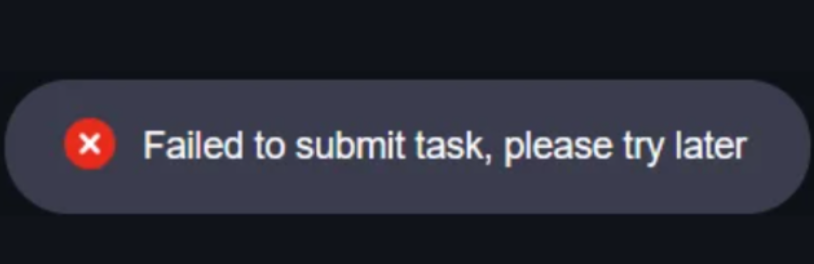
Nothing is more infuriating than being slapped with a “Kling AI failed to submit task, please try later” error. It can be totally surprising and confusing to deal with, particularly because you often have no clue what caused this issue in the first place or even how to fix it!
But don’t fret. Even if you are new to Kling AI, I’m here to provide a quick rundown of potential solutions that will get you back to generating videos in no time!
Table of Contents
What Causes This Kling AI Error & How to Fix It?
Fixing this issue is possible. But it can be caused by any number of things, so you need to narrow it down. Sit back and let me list the potential reasons behind it and their solutions:
Temporary System Glitch
Sometimes, the problem could have simply been caused by a temporary glitch. To eliminate this as the cause, I suggest restarting the entire generation process by refreshing the page.
This will erase any configurations and prompts you set, so always note them down beforehand. Also, make sure your uploaded files meet the required specs in format, size, dimension, etc.
Server Downtimes
During peak business hours, Kling AI’s servers may be overloaded with requests, which can often cause this particular error to pop up. This is also especially common on the free tier.
To solve this, try again during off-peak hours, such as the morning, late at night, or on weekends. If you’re using the free tier, consider upgrading to a paid plan.
Browser Cache Issues
This is a common problem that frequently affects online users. Sometimes your browser cache can get corrupted, which prevents it from loading pages and processing tasks properly.
To fix this, just head over to your browser history and clear the cache data. Then close and restart the app before logging back into Kling AI to retry the video generation.
User Account Issues
In some cases, a task submission can be interrupted by a security issue like multiple failed login attempts or a detected password leak. Change your password, then try to regenerate.
Other times, it could be due to a policy violation, which can lead to a temporary account restriction. To verify this isn’t the problem, wait and try again later or send an email to support.
Account Payment Restrictions
Kling AI may have had issues processing your account payment. This could be due to an expired card, insufficient funds in your bank, or you’ve simply run out of credits.
Such issues can often cause blocked task submissions. So, just double-check that your credit limits, payment details, and account information are all in order.
Unstable Internet Connection
If your internet connection happens to cut out or drop while the generation process is starting, then this can cause a failed error. Check your router and restart it to help alleviate the issue.
You can also consider resetting your computer’s WiFi. And if you can, try switching to a mobile data or wired connection, then try generating the video again for good measure.
Problem Still Unknown: Contact the Support Team
If you’ve explored all these potential causes and are still faced with the ‘Failed to submit task’ error, then go ahead and contact Kling AI support for help.
You can email them or reach out via social media, but always be direct and specific in your communication to get a swift response.
Need a Stable Kling AI Alternative? Try Generating Videos with HIX AI!

The HIX AI video agent generates stunning, high-fidelity scenes based on your text, image, or video references. Whether you are crafting product promos or personal short-form videos, bringing your exact vision to life is now effortless.
To maintain flawless consistency in long-form videos, our video agent introduces storyboards—visualizing complex workflows while giving you full control to edit any scene or step in the process.
On top of that, the HIX AI video agent aggregates industry-leading video models—like Gemini Omni 1.1 Flash, Seedance 2.5, and MiniMax H3 Max—giving you seamless access to premier AI video generation all from a single platform.
But most importantly, HIX AI is incredibly reliable and efficient. You won't have to deal with frequent server downtimes or system instabilities. It will generate videos smoothly 24/7!
Try HIX AI Video Agent
Conclusion
The Kling AI ‘Failed to Submit Task’ error can be a bummer to deal with. Hopefully, you will find a fix among the list of solutions I have listed here. But if you still can get rid of that pesky issue, then don’t stress about it.
Just head over to HIX AI and start generating your videos from there! Best of all? It has a free trial plan, so you won’t need to spend a dime to test its numerous capabilities!
👍AI models integration • 💯Beginner-friendly • 🌟AI-powered agents