Raphael AI Image Generator

Raphael AI has captivated global creators with its breathtaking artistic filters and ultra-smooth, intuitive canvas tools that effortlessly simplify digital masterpiece creation. However, if your workflow demands true multi-model precision and smart editing control, switching to HIX AI is your ultimate power move. Create Images with HIX AI!
Key Features of Raphael AI
- Text to Image Generation: Raphael AI instantly turns complex prompts into stunning visuals with seamless text overlay.
- Lightning-Fast Generation: Raphael AI brings your creative concepts to life by generating high-quality images in mere seconds.
- Multiple Visual Styles: Raphael AI can create images in different styles such as realistic, anime, digital art, illustration, and concept art.
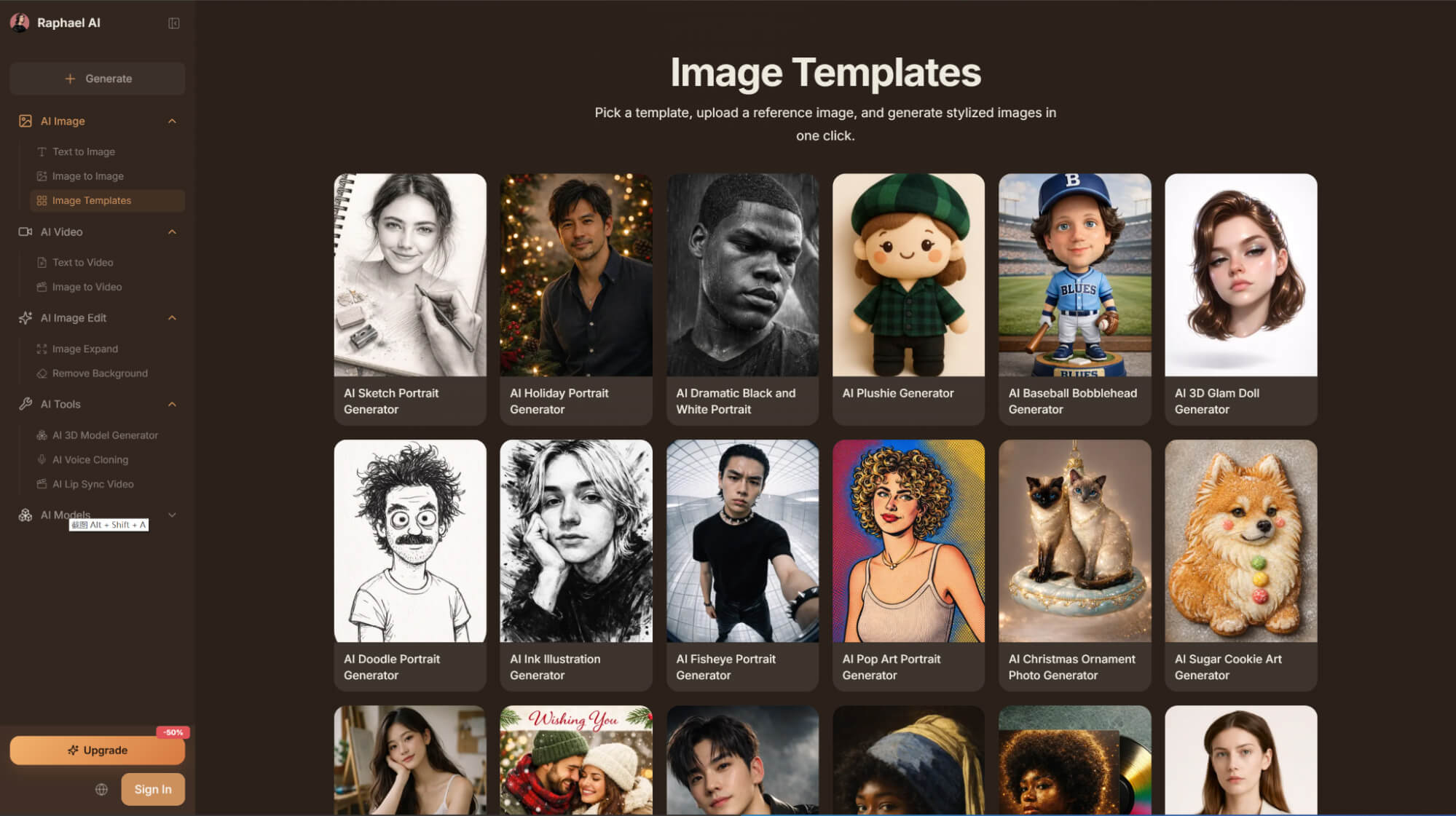
- Preset Image Templates: Raphael AI offers 30+ image templates to generate stylized images in just one click.
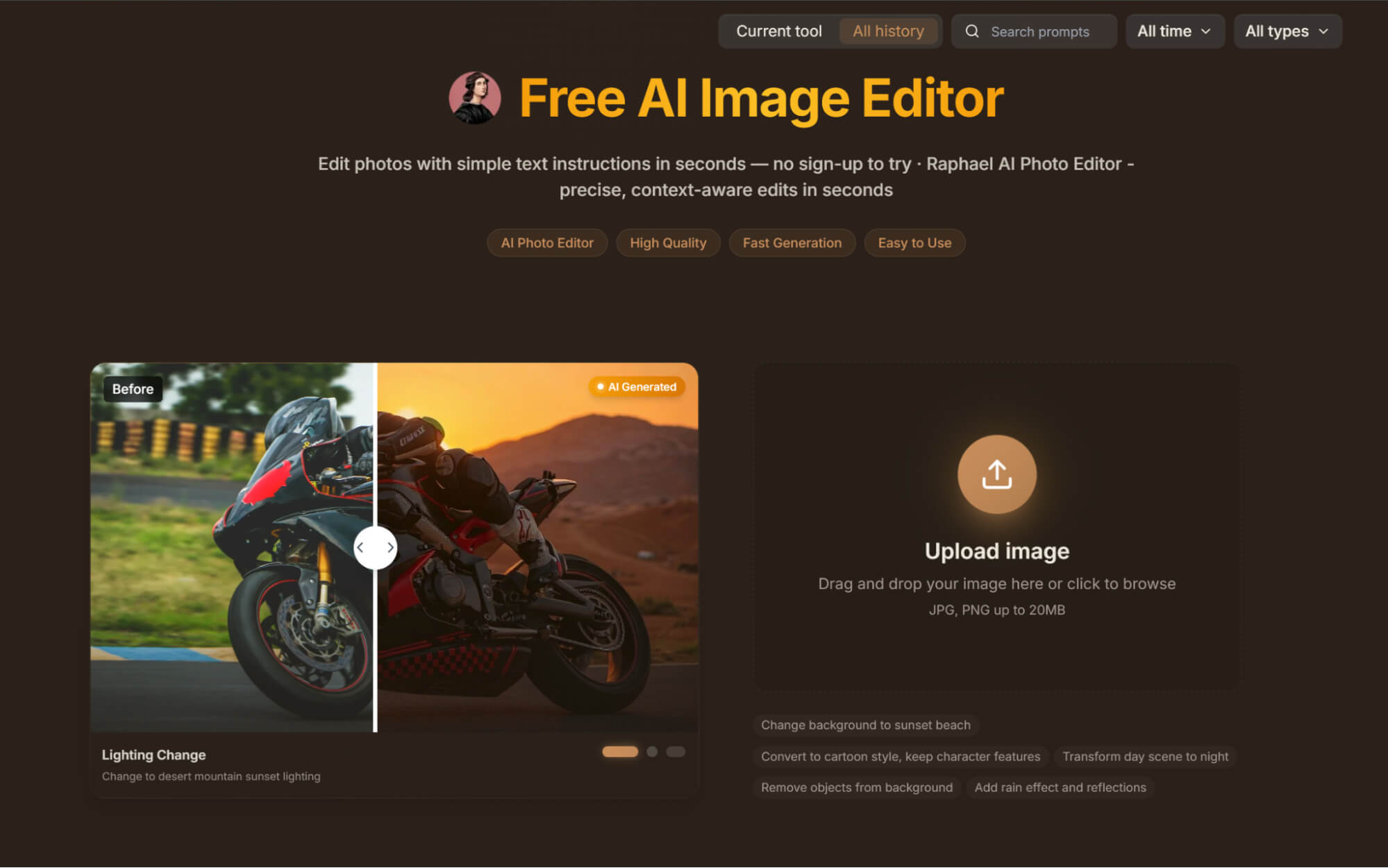
- Powerful AI Photo Editor & Post-Processing: Raphael AI provides a suite of magic-like tools for photo editing and fine-tuning.
Text to Image Generator
No complex parameter tuning required. Just outline your subject, scene, style, lighting, and mood. Raphael AI automatically handles the intricate details, instantly serving up a diverse batch of high-quality candidate images.
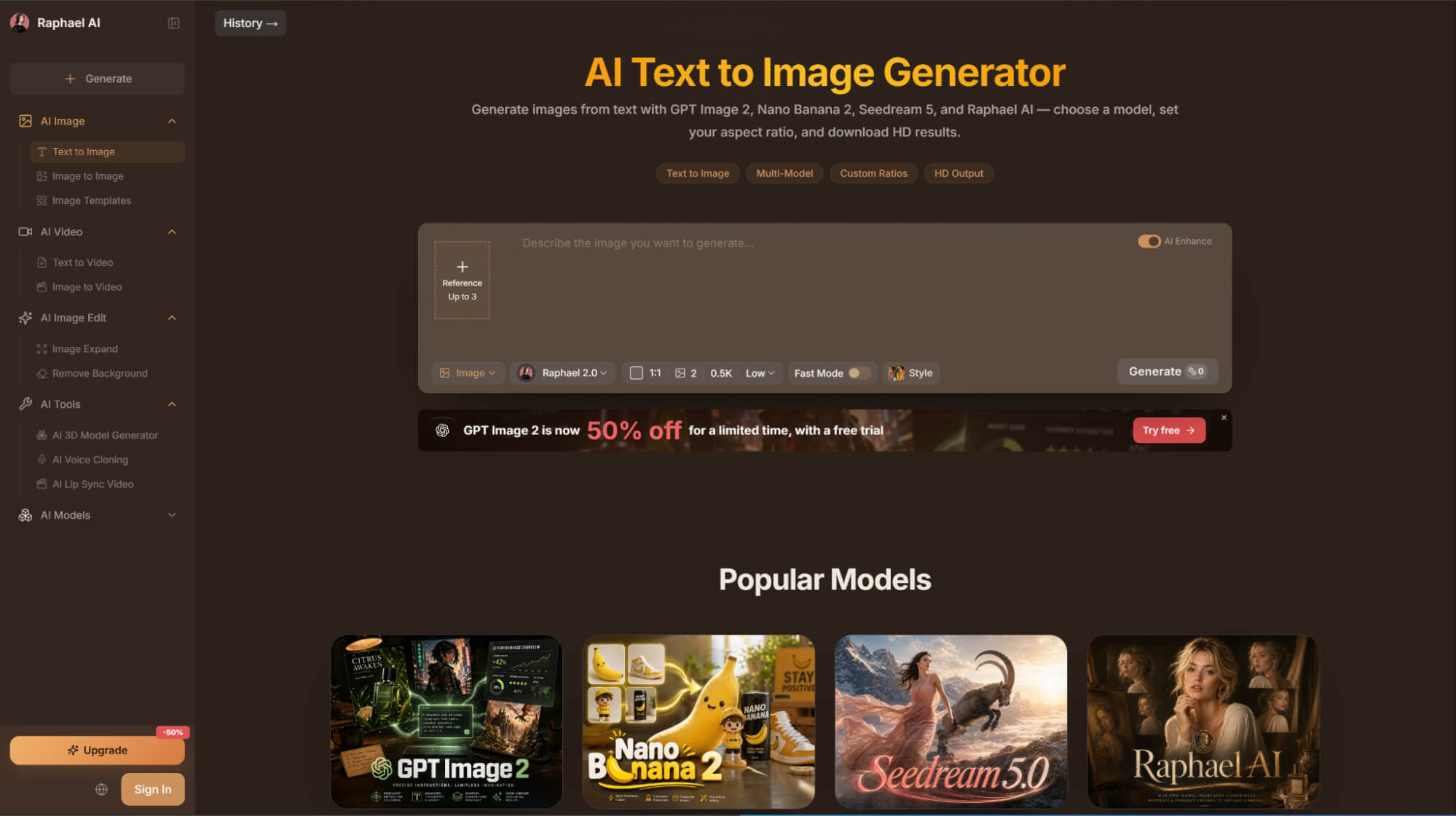
Lightning-Fast Generation
Raphael AI drastically saves creation time by generating images in mere seconds, offering a swift 8-second turnaround on the free tier and instant, queue-free priority for paid subscribers.
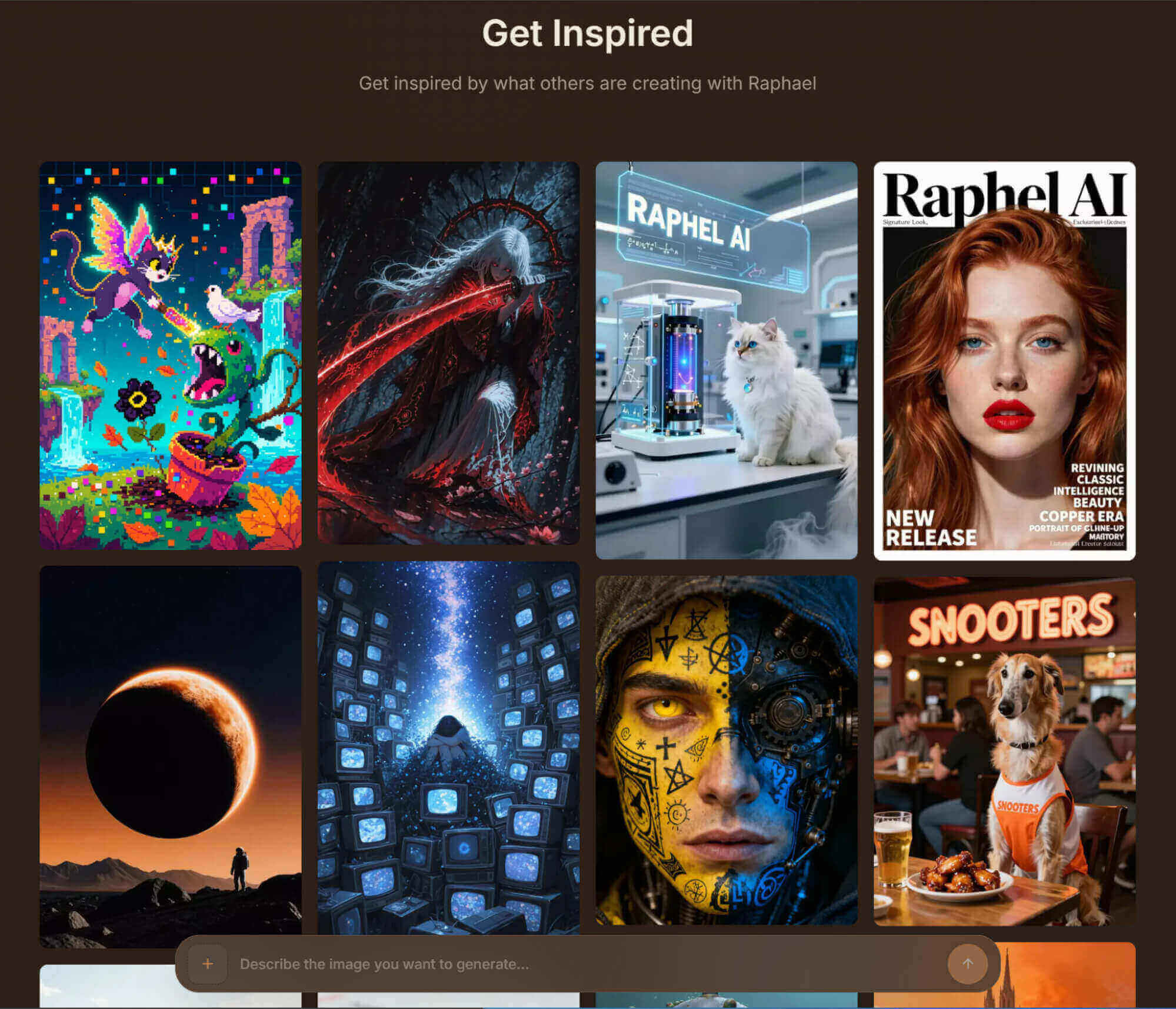
Multiple Visual Styles
Raphael AI boasts incredible stylistic versatility, effortlessly generating everything from hyper-photorealism to vibrant anime, and stylized vector graphics to cutting-edge digital art.
Preset Image Templates
Raphael AI drastically speeds up image generation with its library of preset templates. Spanning posters, social media, and product imagery, these pre-configured styles deliver polished, production-ready visuals instantly.
Powerful AI Photo Editor & Post-Processing
Raphael AI doubles as a powerful post-processing suite, packing advanced tools like seamless background replacement, dynamic lighting adjustments, lossless upscaling, and instant style transformations into a unified, effortless workflow.
Raphael AI: Pros and Cons
| Pros | Cons |
| Easy to use for beginners | Limited advanced editing features |
| No-login, low-friction access | Not ideal for professional design workflows |
| Good for quick idea visualization | Weak for branding, logos, and vector-based work |
| Suitable for social media concepts and quick drafts | Limited workflow, collaboration, and asset management features |
| Strong for speed and accessibility | Less suitable for high-control commercial asset creation |
Use Case of Raphael AI
- Social Media Content: Create eye-catching visuals for Instagram, Facebook, X, LinkedIn, and other platforms.
- Marketing Concepts: Generate promotional ideas, ad visuals, and campaign concepts before final design production.
- Storyboarding: Visualize scenes, characters, and settings for videos, animations, or creative projects.
- Product Concept Visualization: Turn product ideas into sample visuals for presentations or brainstorming.
What Users Actually Say about Raphael AI
Raphael AI is widely praised for its frictionless, no-login accessibility. However, users report prompt comprehension deviations during image editing, failing to achieve the expected results and causing time-wasting trial and error.
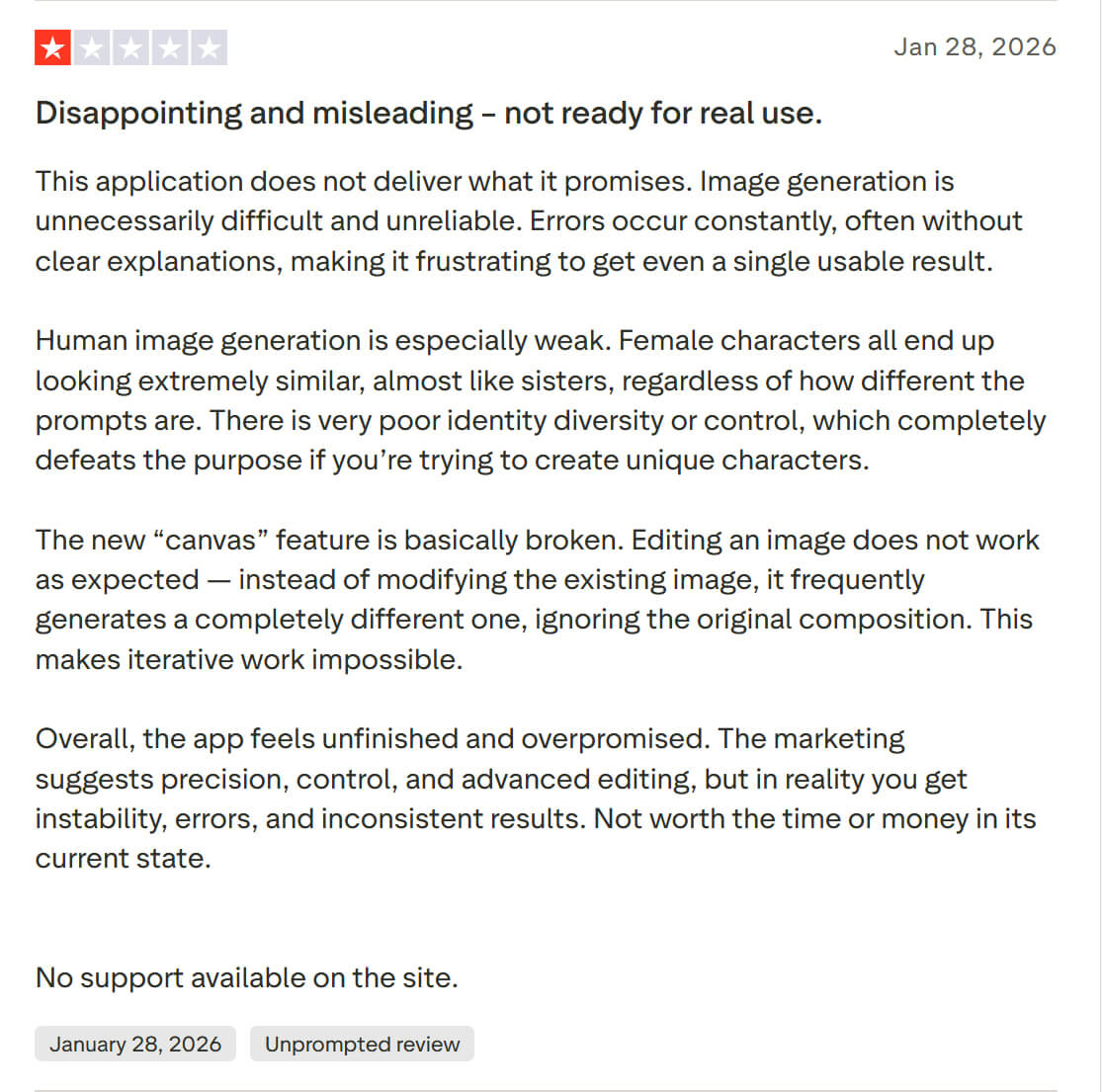
By contrast, HIX AI strips away the friction with a remarkably seamless, description-only workflow. Powered by elite models like GPT-Image 2 and Nano Banana 2, our agent consistently delivers high-fidelity, high-quality visuals that perfectly mirror your original prompt.
Furthermore, HIX AI introduces smart, text-driven editing. Instead of wrestling with complex tools, creators can modify specific target elements using simple prompts—offering pinpoint precision and total control over the final output.
Raphael AI vs Recraft vs HIX AI
| Features | Raphael AI | Recraft | HIX AI |
| Ease of Use | Very easy; minimal setup | Moderate; more design-oriented workflow | Easy, but broader and more feature-heavy |
| Editing Features | Basic compared with the others | Advanced editing and design workflow tools | Chat-based editing and iterative refinement |
| Main Strength | Simplicity and speed | Professional design and branding capability | Multi-model flexibility |
| Editing Depth | Basic to moderate | Advanced | Moderate to strong |
| Best For | Casual users, quick ideation, instant visuals | Designers, branding teams, logo and graphic creation | Powered by top-tier models like GPT-Image 2, Ideogram, and Flux, it supports generating images in a wide variety of styles. |
Why HIX AI Stands Out as the Superior Choice
- 1
Versatile Styles for Any Project
Supporting diverse styles, our AI image agent delivers visuals tailored to your exact aesthetic, whether you are creating marketing assets, product photos, or ad creatives.
- 2
Smart Image Editing
For effortless visual tuning, our AI agent seamlessly handles prompt-based touch-ups, text/object replacement, and stylistic refinements to perfect your images.
- 3
Create Images with Top-Tier Models
Integrating premier models like GPT Image 2, Nano Banana 2, and Seedream, our AI generator automatically selects the optimal model for any task.
