WaveSpeed AI Video Generator

WaveSpeed brings video models together for text- and image-driven generation, with tools for camera movement, editing and extension. HIX AI offers a storyboard-led workflow that develops a script, plans scenes shot by shot and creates subject references to guide visual consistency. Review and refine your video through chat. Try HIX AI Now!
Key Features of WaveSpeed
- Text to Video: Turn written ideas into clips for social content or scene previews.
- Image to Video: Animate images with references or first/last frames.
- Model Library: 1,000 image, video, audio and LLM models behind one key.
- Video Edit and Extend: Edit or extend clips with supported AI models.
- Camera Movement: Choose preset camera moves for generated videos.
Text to Video
WaveSpeed’s Text to Video turns written descriptions into video clips. Prompts can describe a subject, setting, action and visual style, bringing an idea to life without existing footage. It can be used to create social media clips, product concepts or previews of scenes before production.
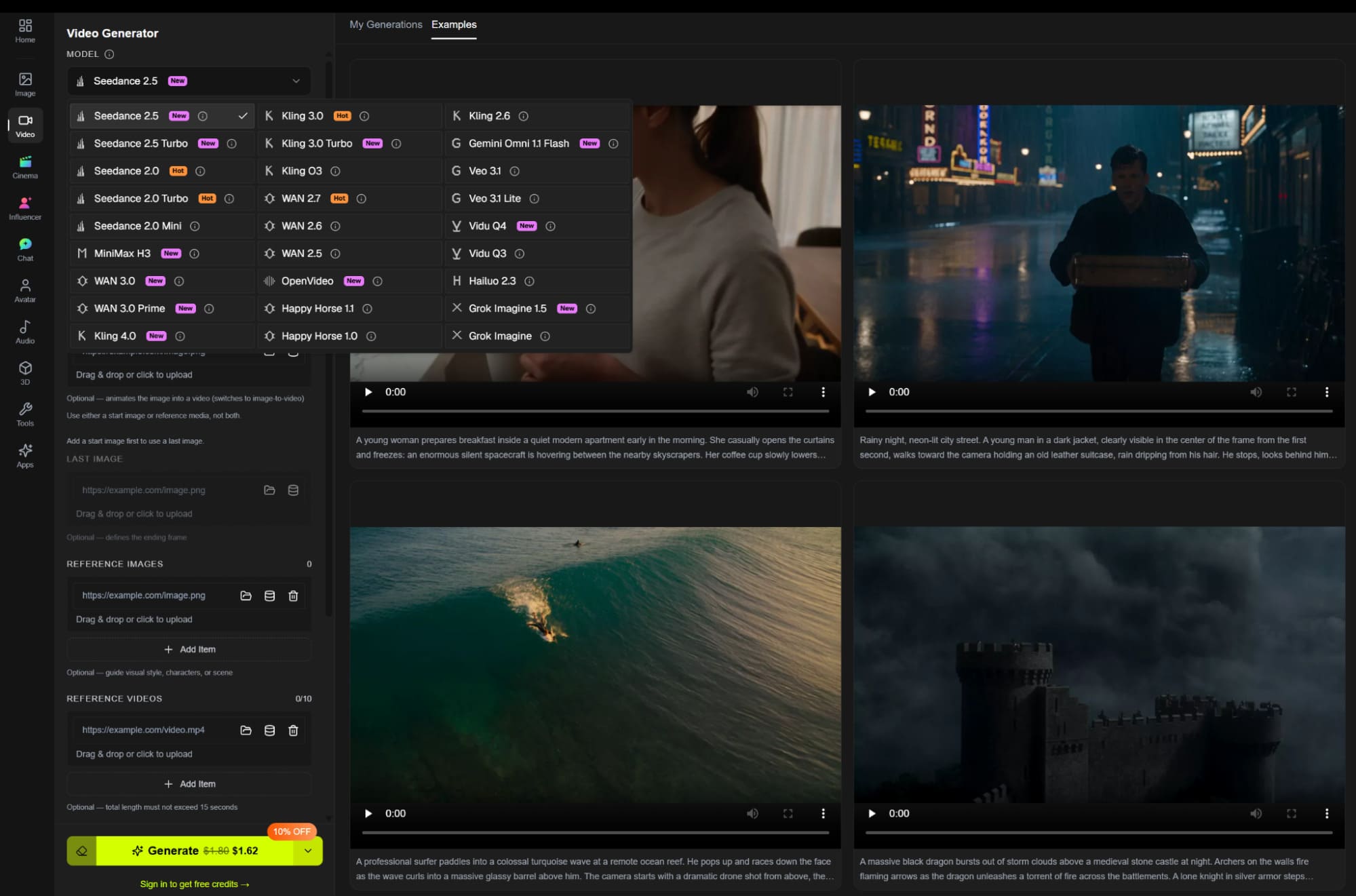
Image to Video
WaveSpeed’s Image to Video brings still images to life with motion. It can use a starting image, visual references or first and last frames to guide a clip. The feature is useful for animating product photos, portraits and artwork, or creating a transition between two images.
Model Library
WaveSpeed’s Model Library brings video models such as Veo 3.1, Kling 3.0, Seedance 2.5 and Wan 3.0 together in one place. It gives creators a range of options to explore when developing visual concepts, comparing different interpretations of a scene or creating clips for a project.
Video Edit and Extend
WaveSpeed’s Video Edit and Extend provides ways to work with existing footage. Video editing can modify elements such as objects or backgrounds, while video extension adds footage after a clip. These tools help creators revise a scene or continue an action without starting from scratch.
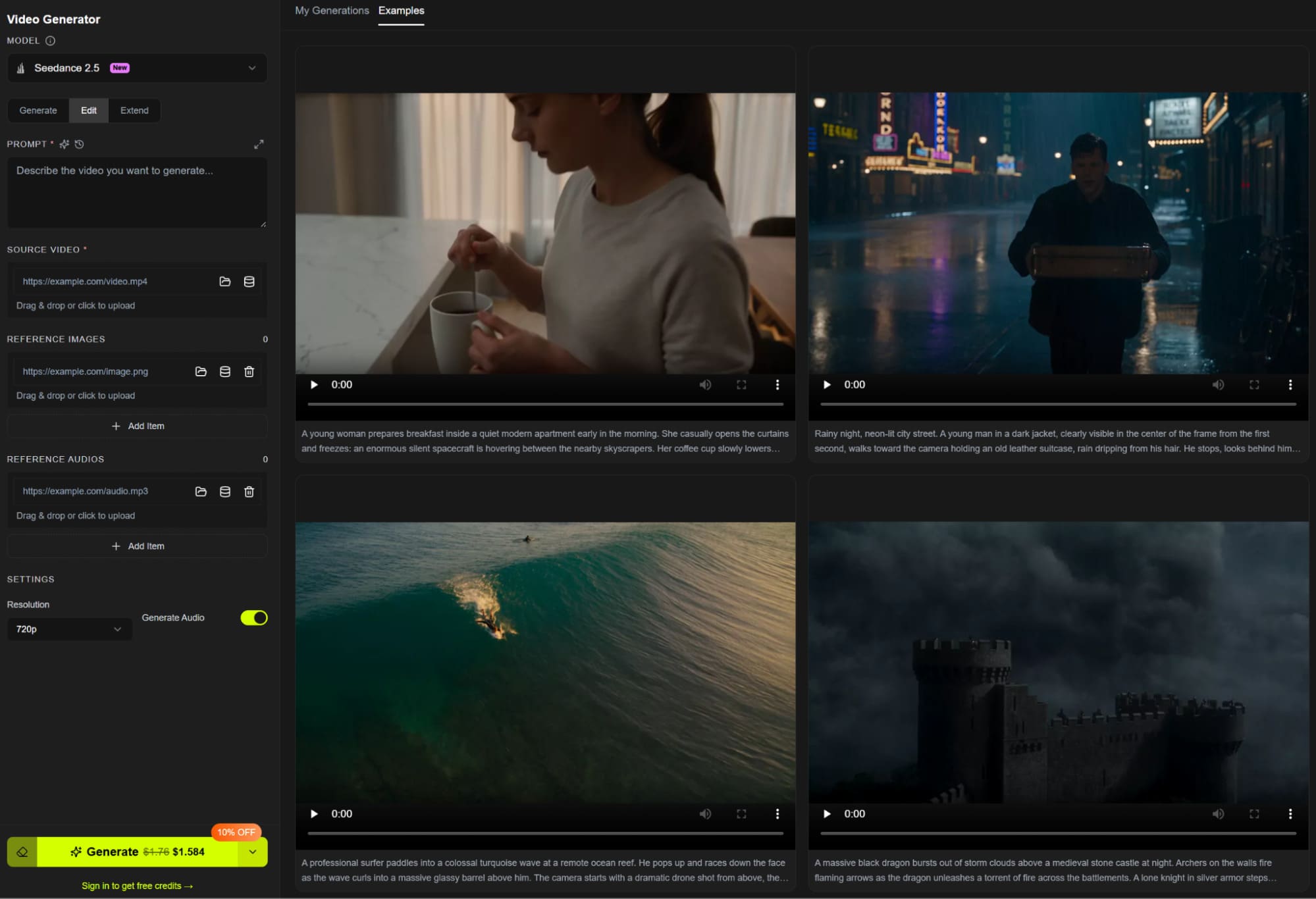
Camera Movement
WaveSpeed’s Camera Movement setting offers presets such as push-in, pan, orbit and handheld to guide a generated shot. These options help creators shape the framing and feel of a scene, whether they want to draw attention to a subject or reveal more of its surroundings.
WaveSpeed: The Pros and Cons at a Glance
Pros
- One key, five vendors: WaveSpeed puts Veo 3.1, Kling 4.0, Seedance 2.5, Wan 3.0 and Vidu Q4 behind a single key, so one prompt can be tested on each without a new signup.
- One catalog, every method: Text-to-video, image-to-video, reference-to-video and first-and-last-frame, so a shot can be re-approached with a different method instead of a different tool.
- Video refinement options: Edit or extend clips, guide movement and sync avatar speech.
Cons
- The model sets the ceiling: Veo 3.1 stops at 8 seconds, so a longer take needs another engine or another pass.
- No timeline: Clips come back one at a time, and assembling them into a sequence still takes an outside editor.
- Controls are fragmented: Motion control, lip-sync, extension and editing are separate model families with their own parameters, so a shot needing three of them means three calls and manual stitching.
WaveSpeed in Action: Real-World Applications
- Model Bake-Offs: Pitch one brief at Veo, Kling and Seedance in a single session and keep the best take. Styles differ more than quality.
- Campaign Variations: Loop one product shot through the API for vertical, square and widescreen cuts. Duration still depends on the model.
- Localized Presenters: Re-voice a talking-head clip into another language without reshooting the face.
- Shot Repair: Extend a clip that ended early, or rerun one bad section instead of the whole sequence. Extension adds seconds, not scenes.
The Creator's Voice: How Real Users Rate WaveSpeed AI
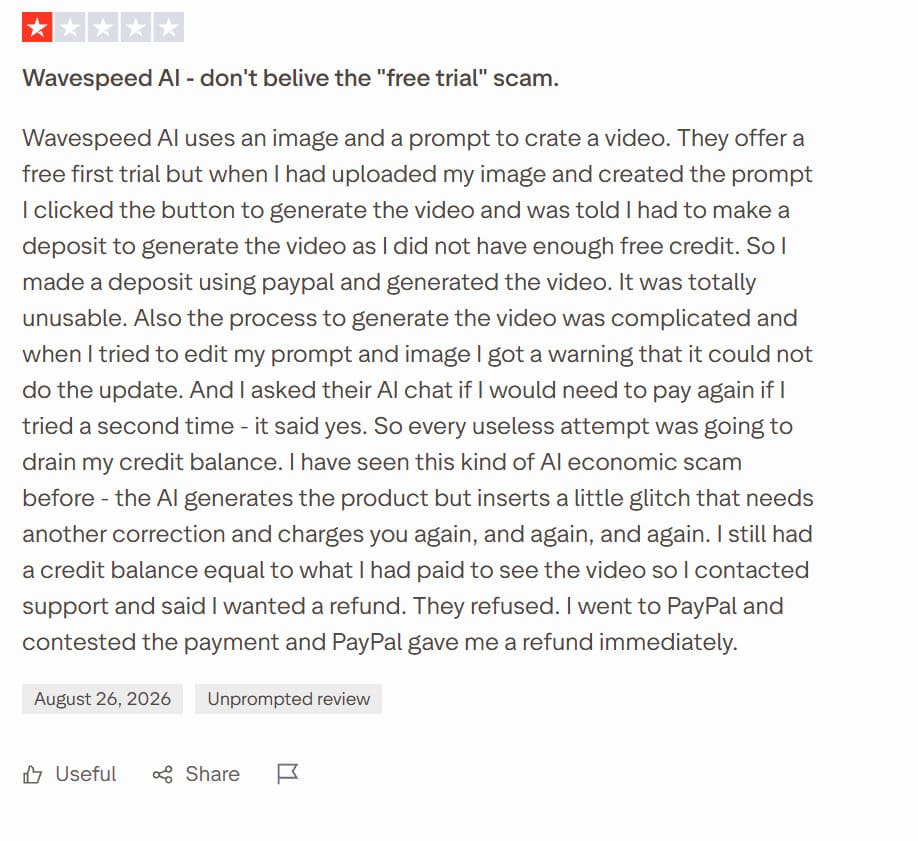
A Trustpilot reviewer reported that a video generated from an image and prompt was unusable. The reviewer also found the process complicated and received a warning when trying to update the prompt and image.
In contrast, by aggregating a powerhouse lineup of top-tier video models such as Kling 4.0, MiniMax H3 Max, and Seedance 2.5, the HIX AI video agent deeply parses text prompts to thoroughly decode a creator's true intent. That comprehension lets it route each shot to the optimal engine behind the scenes, consistently delivering high-fidelity video that matches the brief rather than approximating it.
Additionally, its simple, user-friendly workflow handles both video creation and editing entirely through direct text prompts. The system precisely interprets prompt meaning to deliver expected results, so even absolute beginners can produce usable footage without an API key or a model-by-model setup.
WaveSpeed vs Luma vs HIX AI
| Comparison Aspect | WaveSpeed | Luma | HIX AI Video Agent |
| Model Selection | Access multiple video models through one platform, including Veo, Kling and Seedance. | Generate and modify videos using Luma’s Ray models. | Choose from a library of named video models for different creative needs. |
| Shot Guidance | Describe camera movement in a prompt; some models also support keyframe controls. | Guide motion and transitions with start and end frames in Ray3 Modify. | Plan shots in a storyboard and refine the creative direction through AI chat. |
| Character Consistency | Supported models use reference images or videos to guide a character’s appearance. | Character Reference helps maintain a character’s appearance across outputs and scenes. | Multi-view subject designs help keep characters and products consistent across shots. |
| Audio Integration | Selected models generate synchronized audio or preserve it when extending video. | Ray3 Modify preserves the original audio when modifying a video. | The video agent adds voiceovers, sound effects and background music to the video. |
What Makes HIX AI the Superior Choice
- 1
Instruction-Driven, Intuitive Workflow
HIX AI creates and edits videos from text instructions on an infinite canvas, keeping the entire project in view.
- 2
One Story, Every Shot
HIX AI creates scripts, storyboards and multi-view subject designs for consistency, then adds voiceovers, sound and music.
- 3
Any Input, Any Scenario
HIX AI turns text, photos or documents into video ads, brand stories, trend content and faceless videos, with research and planning built in.