Runway AI Video Generator

Runway AI, raised $308 million in April 2025, is an American company that specializes in generative AI technologies. With their ability to create videos with realistic motion and object consistency, Runway AI models have been utilized in television shows like The Late Show and Top Gear. Try Runway AI for free below!
Key Features of Runway AI
- Create High-Quality Videos: Generate superb videos from text or images
- Infinite Character Consistency: Use a single image to create coherent video
- Camera Control: Allows users to define camera movements
- Video to Video Transformation: Transform original videos with text prompts
- Act One: Generate expressive character performances with videos or images
- Lip Sync: Synchronize speeches with text or audio
Create High-Quality Videos
Runway enables users to generate high-quality and lifelike videos from text prompts or image input. Runway AI creates realistic visuals with fluid motion, seamless transitions, and cinematic effects, bringing your creative imagination to life with ease and style.
| Input Image | Text Prompts | Output Video |
| A vibrant festival in a futuristic city with neon lights and dancing robots. | ||
| A majestic whale flying above a crystal-clear ocean under a starry sky. | ||
| A cozy coffee shop on a rainy day with steam rising from warm drinks. | ||
 |
The ship sailed on the sea. | |
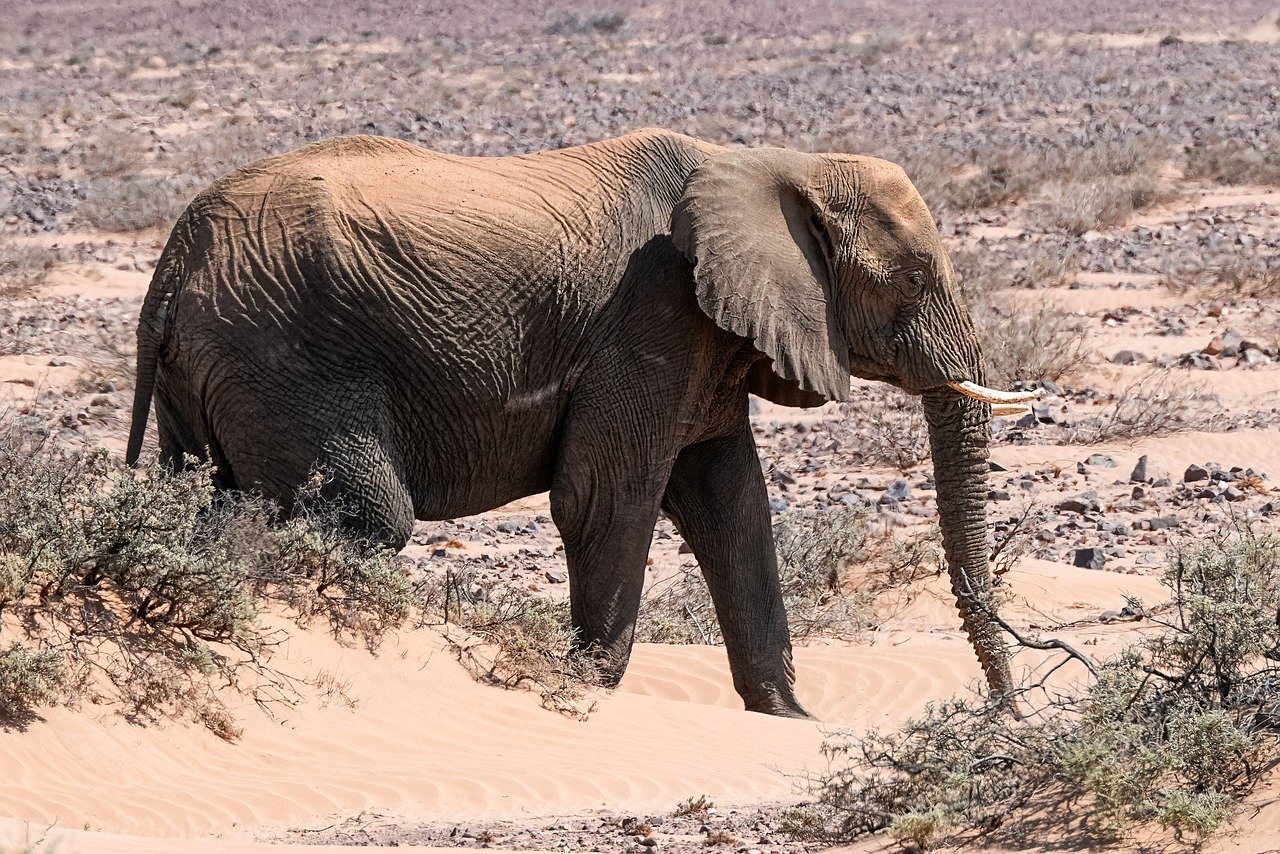 |
The elephant walks slowly in the desert. |
Infinite Character Consistency
Runway allows you to create consistent characters across endless lighting conditions, locations and treatments. All you need is just a single reference image of your main characters.
Camera Control
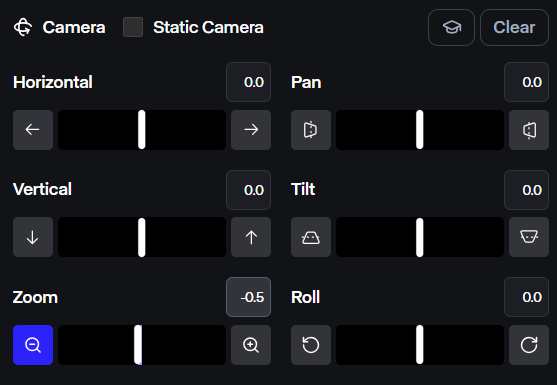
Runway enables users to tweak camera movements and angles. It supports complex shots that would typically require extensive resources, such as dynamic pan, tilt or zoom.
Video to Video Transformation
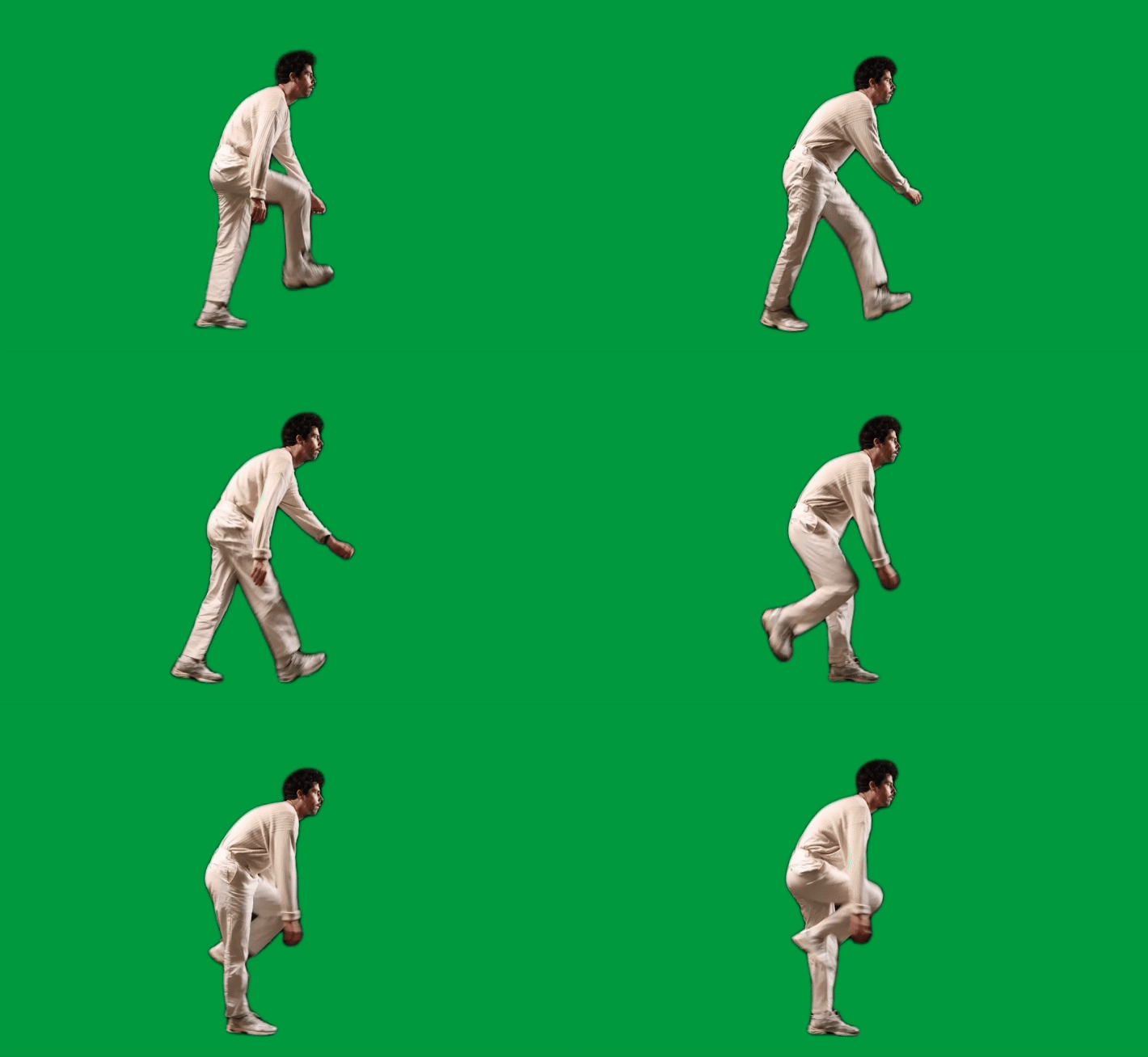
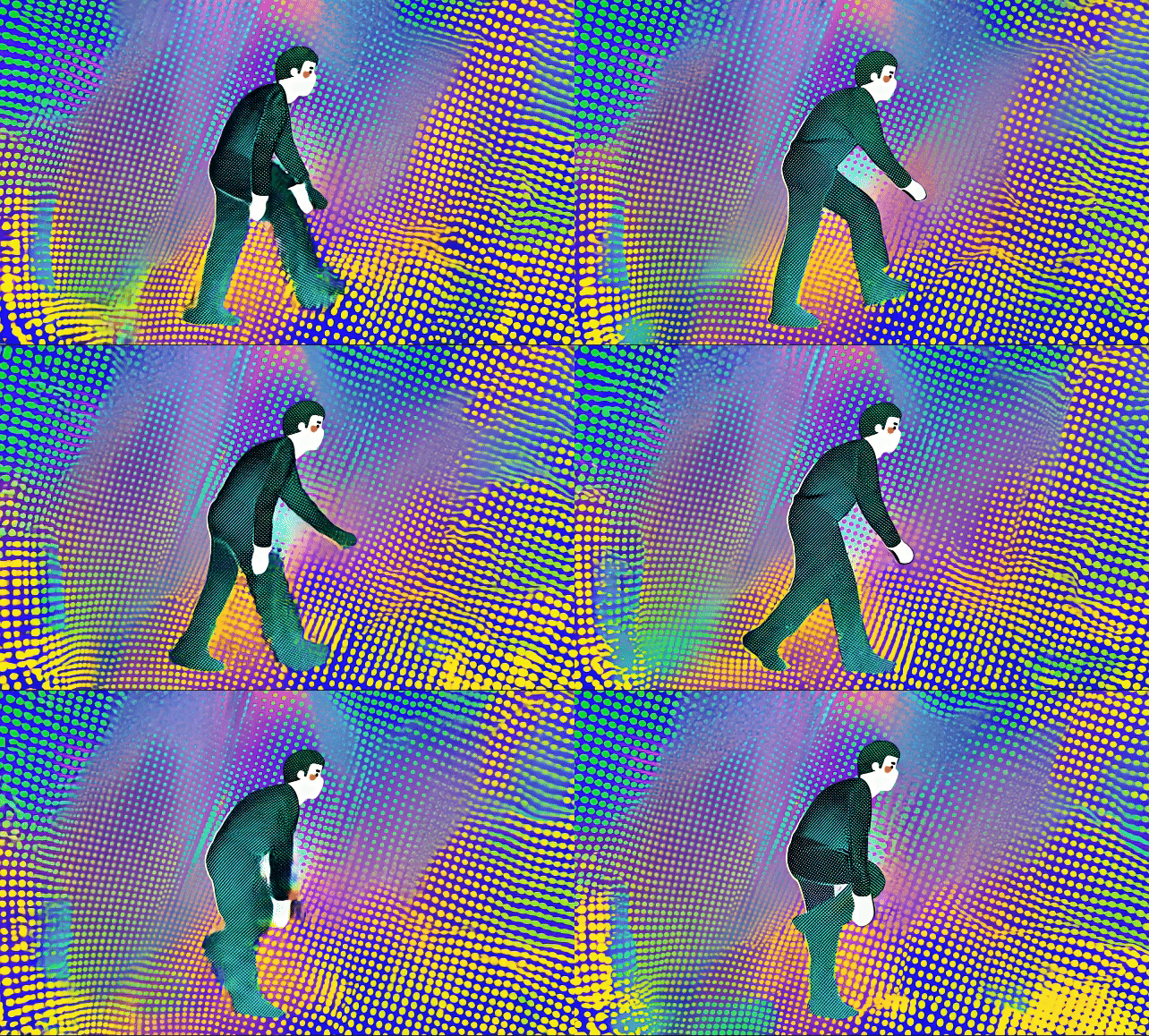
Runway’s video to video feature allows users to transform existing video footage by applying AI-generated styles, effects, or structural changes, reimagining the visual content without manual editing.
| Input video | Prompt | Output video |
 |
3D halftone CMYK style. halftone print dot. comic book. vibrant colors in layers of cyan blue, yellow, magenta purple, and black circular dots. |
 |
Act One
Act One is Runway’s innovative feature for generating expressive character performances by mapping facial expressions and lip sync from a driving video onto a reference image.
Lip Sync
Runway’s lip sync feature synchronizes text scripts or audio with character lip movements, delivering realistic dialogue in AI videos. Users can input audio or text, and Runway AI generates precise lip movements that match the spoken content.
| Image | Text Script | Output Video |
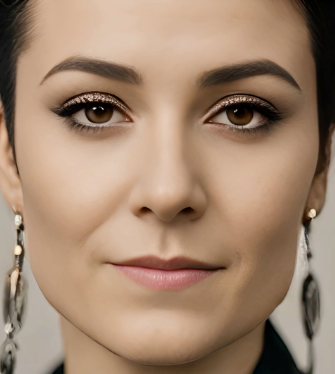 |
Hey, let's explore the galaxy together—ready for an adventure? | |
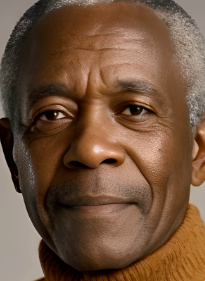 |
This coffee is amazing; it’s like a warm hug in a mug! |
How Does Runway AI Compare to Other AI Video Generators
| Feature | Runway AI | OpenAI Sora | Google Veo | Pika AI | Hailuo AI |
| Best for | Creative control, cinematic clips | Photorealism, longer cinematic scenes | Premium production, motion, audio | Social clips, fast iteration | Budget-friendly realistic clips |
| Max resolution | 4K | 1080p | 4K | 1080p | 1080p |
| Max length per generation | 10 seconds | 25 seconds | 8 seconds | 10 seconds | 10 seconds |
| Native audio | Not natively generated in many workflows; audio can be layered separately | Not consistently positioned as native-audio-first in these comparisons | Yes, native audio generation | Not a main native-audio focus | No |
| Key strengths | Strong editing suite, motion control, character consistency, director-style controls | Best realism and scene continuity in many comparisons | Strong motion, synchronized audio, premium output | Fast generation, effects, easier short-form creation | Good realism for lower cost |
How to Use Runway AI on HIX AI
- 1
Choose the Runway Model
Go to the HIX AI image to video page and select the Runway model.
- 2
Upload Original Image
Upload your image and enter text prompts as guidance.
- 3
Generate Your Video
Click Create and wait for your video to be finished.
YouTube Videos About Runway AI
Reddit Posts About Runway AI
What People Are Talking About Runway on X
So the Runway AI video generation tool, which btw is made by a multi-billion dollar company, has just been found out for secretly training their tool using thousands of movies (which they pirated), and YouTubers (including 1,600 of our videos), without anyone's permission
— Arun Maini (@Mrwhosetheboss) July 25, 2024
I hope… pic.twitter.com/FvaIfMPNIa
1/7 thread illustrating why runways frames is the best image generator for combining character consistency, cinematic look and coverage of a scene. Can someone do this with Midjourney? No photoshop, or grading done. Time for a remake! @runwayml pic.twitter.com/StBgsxjjZ8
— Uncanny Harry AI (@Uncanny_Harry) May 18, 2025
@runwayml and @c_valenzuelab have my mind blown.
— Yianni Mathioudakis (@yiannifive) May 13, 2025
Quick type studies using Runway to render the type characters. So much control with the outputs.#runway #ai #design #typography #3d pic.twitter.com/onnIsreljf
Building Worlds with Runway Gen-4 References
— Marco (@ai_artworkgen) May 12, 2025
So good. Period. pic.twitter.com/jWRlML8jVR
I trained a LoRa with FLUX on a few photos of me and brought it to life with Runway.
— Rowan Cheung (@rowancheung) August 18, 2024
This image AND video is 100% AI-generated.
Here's a couple more wild examples and a full tutorial for how you can do it yourself (it's addicting): pic.twitter.com/8kEvoKKqrB
Runway is a world simulator. Simulates actions, the evolution of societies, their consequences, climate patterns, resource distribution, technological advancement, cultural interactions, economic systems, political developments, population dynamics, urban growth, ecological… pic.twitter.com/0vX9IC0Yvb
— Cristóbal Valenzuela (@c_valenzuelab) May 13, 2025
Runway just announced Keyframing prototype.
— Min Choi (@minchoi) December 2, 2024
This AI feature makes exploring creative possibilities feel like a mix of precise control and surprising discoveries.pic.twitter.com/OjsOiHvZ8p
Runway is surprisingly good at handling sci-fi scenes — the atmosphere, effects, and lighting all come together beautifully. pic.twitter.com/Uj4tyYMRhf
— KANA (@KanaWorks_AI) May 15, 2025
Runway has just got a huge update.
— Madni Aghadi (@hey_madni) November 4, 2023
This is a game-changer in the world of AI.
Here are 12 examples that will blow your mind: pic.twitter.com/r1vokbzT9C
Battle of Reference Consistency!! Well, to be honest, not so much of a VS, and more of a Kitbash!
— Theoretically Media (@TheoMediaAI) May 6, 2025
Swing on by and have your Runway and Midjourney Tabs open!
Links and FT'd below! pic.twitter.com/ljsUKCuZRN
Runway has released AI video-to-video for Gen 3.
— Alvaro Cintas (@dr_cintas) September 14, 2024
People are finding incredible use cases and creating amazing videos.
10 wild examples: pic.twitter.com/C9FUNwmk5U
Another type experiment using @runwayml references. The quality is top-notch. Next to test is bringing these type renders into Gen-4 image-to-video and animate.#runway #ai #design #typography pic.twitter.com/hVgp3Xj6sN
— Yianni Mathioudakis (@yiannifive) May 13, 2025

Discover Our Other AI Video Models
Try all the best video models in one spot.
